10
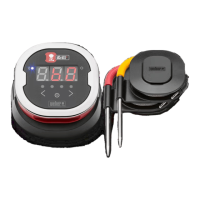
Display
• Displays temperature of currently active probe.
• Displays “DC” for temperatures below -22°F (-30ºC).
• Displays “DH” for temperatures above 572°F (300ºC).
• Displays “OFF” during power off sequence.
• Animates during power on sequence and during reset.
Bluetooth
®
LED
• Blinks blue when discoverable and awaiting pairing.
• Illuminates solid blue when paired.
Probe Indicator LEDs
• Far left side LED illuminates to indicate Probe 1 temperature is
being displayed.
• Middle left side LED illuminates to indicate Probe 2 temperature is
being displayed.
• Middle right side LED illuminates to indicate Probe 3 temperature is
being displayed.
• Far right side LED illuminates to indicate Probe 4 temperature is
being displayed.
Probe Toggle Buttons
The iGrill 2 has two buttons adjacent to the power button to toggle
between probes when there is more than one probe connected.
• Pressing the < or > button will switch from the currently displayed
probe temperature (as indicated by the illuminated probe indicator
LED) to the next probe.
• Holding either the < or > button down for one second will activate
a cycle that will continuously cycle through displaying each probe’s
temperature.



 To Next Page