16
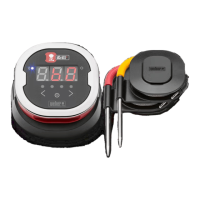
• While still powered on, remove the iGrill 2 battery door and press
the reset button down with a pin or your probe for ve seconds and
replace the battery door.
• Power up your smart device and turn Bluetooth
®
back on.
• Tap on the Weber iGrill logo in the black toolbar at the top of the
app. Select your iGrill 2 from the ‘Available Products’ drop-down.
Your smart device will pair with the iGrill 2 and you will then be
ready to congure your settings and start grilling!
Android
™
device:
If the iGrill 2 device appears in your Bluetooth
®
settings but is not showing
in the Weber iGrill App, follow these steps from your Bluetooth
®
settings
menu:
• Tap on the icon to the right of the device and tap ‘Unpair.’
• Turn Bluetooth
®
OFF on your smart device.
• Completely shut down your smart device.
• Separate the iGrill 2 from its base by rmly holding the base with
one hand and gently pulling the iGrill 2 upwards with the other
hand.
• While still powered on, press down and remove the iGrill 2 battery
door, press the ‘Reset’ button down with a pin or probe for 5
seconds and replace the battery door.
• Power up your device and turn Bluetooth
®
back on.
• Click on the iGrill logo in the black toolbar at the top of the app.
Select your iGrill 2 from the drop-down menu. Your device will pair
with the iGrill 2 and you are ready to congure your settings and
start grilling!
If you are having intermittent Bluetooth
®
issues with your Android™ device
and want to restart Bluetooth
®
from the app:
• Tap ‘More’ located at the bottom of the app.
• Tap ‘Support.’
• Tap ‘Restart Android™ Bluetooth
®
’ and ‘Restart’ when prompted.



 To Next Page