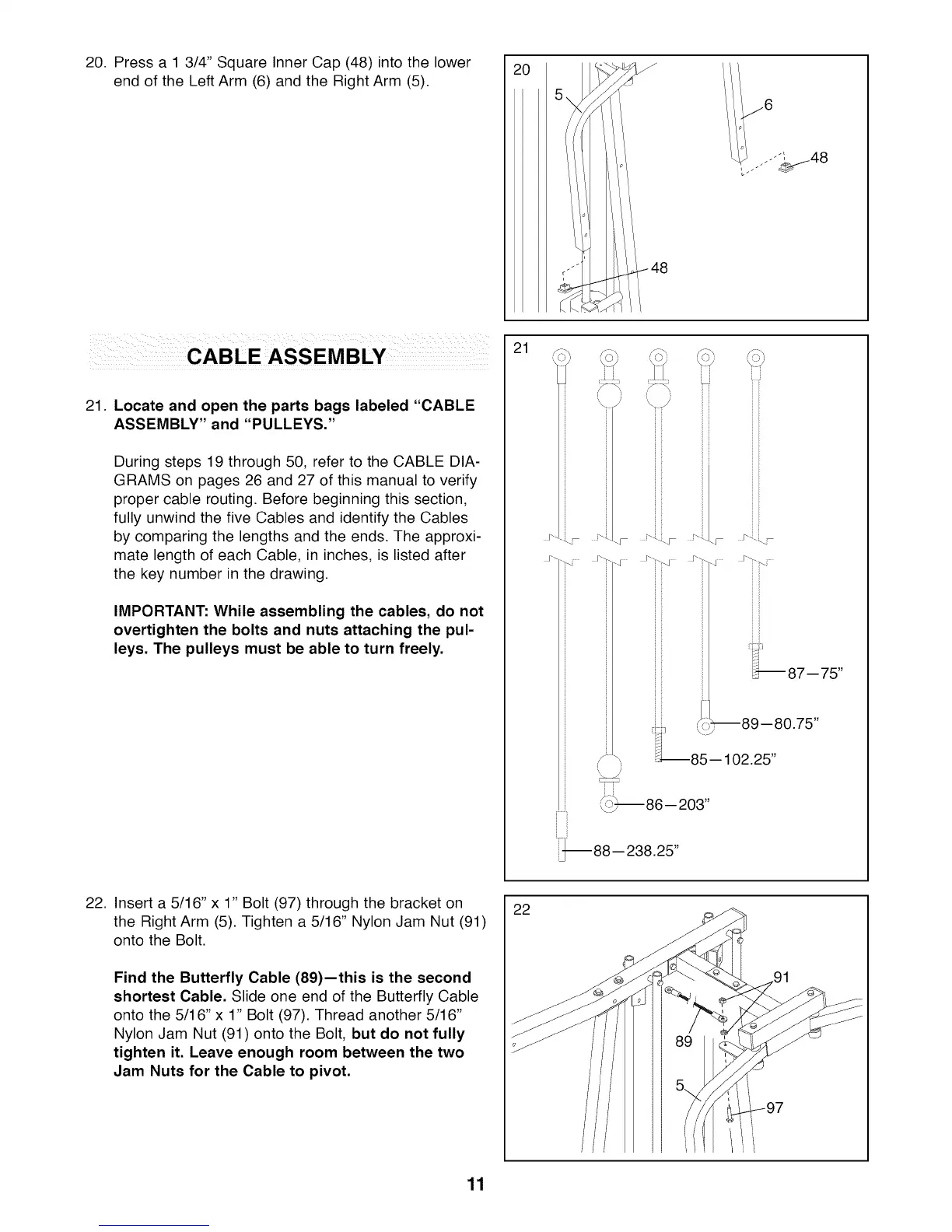
20. Press a 1 3/4" Square Inner Cap (48) into the lower
end of the Left Arm (6) and the Right Arm (5).
21. Locate and open the parts bags labeled "CABLE
ASSEMBLY" and "PULLEYS."
During steps 19 through 50, refer to the CABLE DIA-
GRAMS on pages 26 and 27 of this manual to verify
proper cable routing. Before beginning this section,
fully unwind the five Cables and identify the Cables
by comparing the lengths and the ends. The approxi-
mate length of each Cable, in inches, is listed after
the key number in the drawing.
IMPORTANT: While assembling the cables, do not
overtighten the bolts and nuts attaching the pul-
leys. The pulleys must be able to turn freely.
21
J'" _i ....
[---i
_m
. j"
_ b--86-- 203"
J_
:_87--75"
--89 --80.75"
85-- 102.25"
88-- 238.25"
22. Insert a 5/16" x 1" Bolt (97) through the bracket on
the Right Arm (5). Tighten a 5/16" Nylon Jam Nut (91)
onto the Bolt.
Find the Butterfly Cable (89)--this is the second
shortest Cable. Slide one end of the Butterfly Cable
onto the 5/16" x 1" Bolt (97). Thread another 5/16"
Nylon Jam Nut (91) onto the Bolt, but do not fully
tighten it. Leave enough room between the two
Jam Nuts for the Cable to pivot.
22
11








 To Next Page