11
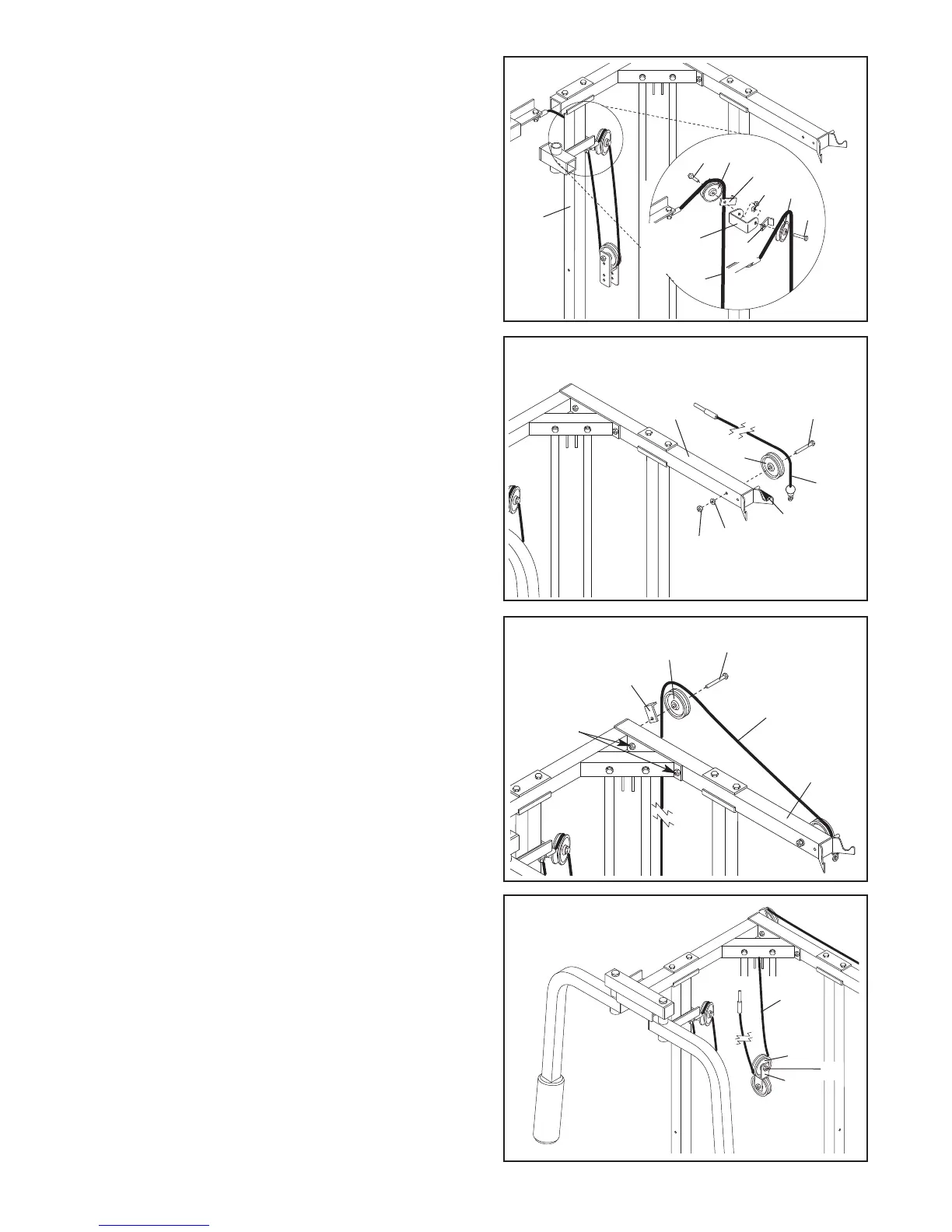
15. Wrap the Short Cable over a “V” Pulley (21) as
shown. Attach the “V” Pulley and a Long Cable Trap
(14) to one side of the welded bracket on the Butterfly
U
pright (62) with a 3/8” x 2 1/2” Bolt (6) and a 3/8”
Nylon Locknut (4).
Attach another “V” Pulley (21) and a Long Cable Trap
(14) to the other side of the welded bracket on the
Butterfly Upright (62) in the same manner.
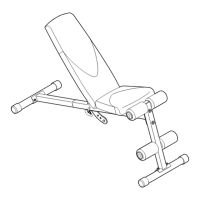
17. Note: It may be helpful to loosen the indicated
Nylon Locknuts (2) before beginning this step.
Wrap the Medium Cable (72) over a 3 1/2” Pulley (5)
as shown. Attach the Pulley and a Cable Trap (39) to
the Press Top Frame (63) with a 3/8” x 3 3/4” Bolt (7).
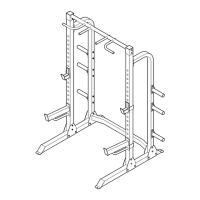
16. Identify the Medium Cable (72). It is approximately
3,5 m long and it has a ball on one end and a
threaded shaft on the other. Wrap the Medium
Cable over the 3 1/2” Pulley (5) as shown. Attach the
Pulley to the Press Top Frame (63) with a 3/8” x 3
1/2” Bolt (24), one 3/8” Flat Washer (17), and a 3/8”
Jam Nut (18).
Make sure the Medium Cable (72) is between the
3 1/2” Pulley (5) and the welded pin on the Press
Top Frame (63).
15
16
62
Welded
Bracket
6
6
21
21
14
14
4
71
17
72
17
Pin
18
63
5
24
7
72
63
5
39
2
18
36
22
5
72
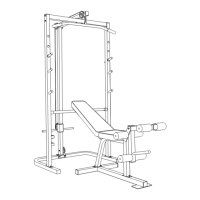
18. Route the threaded shaft on the Medium Cable (72)
under one of the 3 1/2” Pulleys (5) that is already
mounted in the Double “U”-Bracket (36). Tighten the
3/8” x 1 3/4” Bolt (22).


 To Next Page