Stripping and crimping machine Crimpfix 2.5 M
08-09-19-DK-Operating Manual_gb.doc / 2008-09-19 17
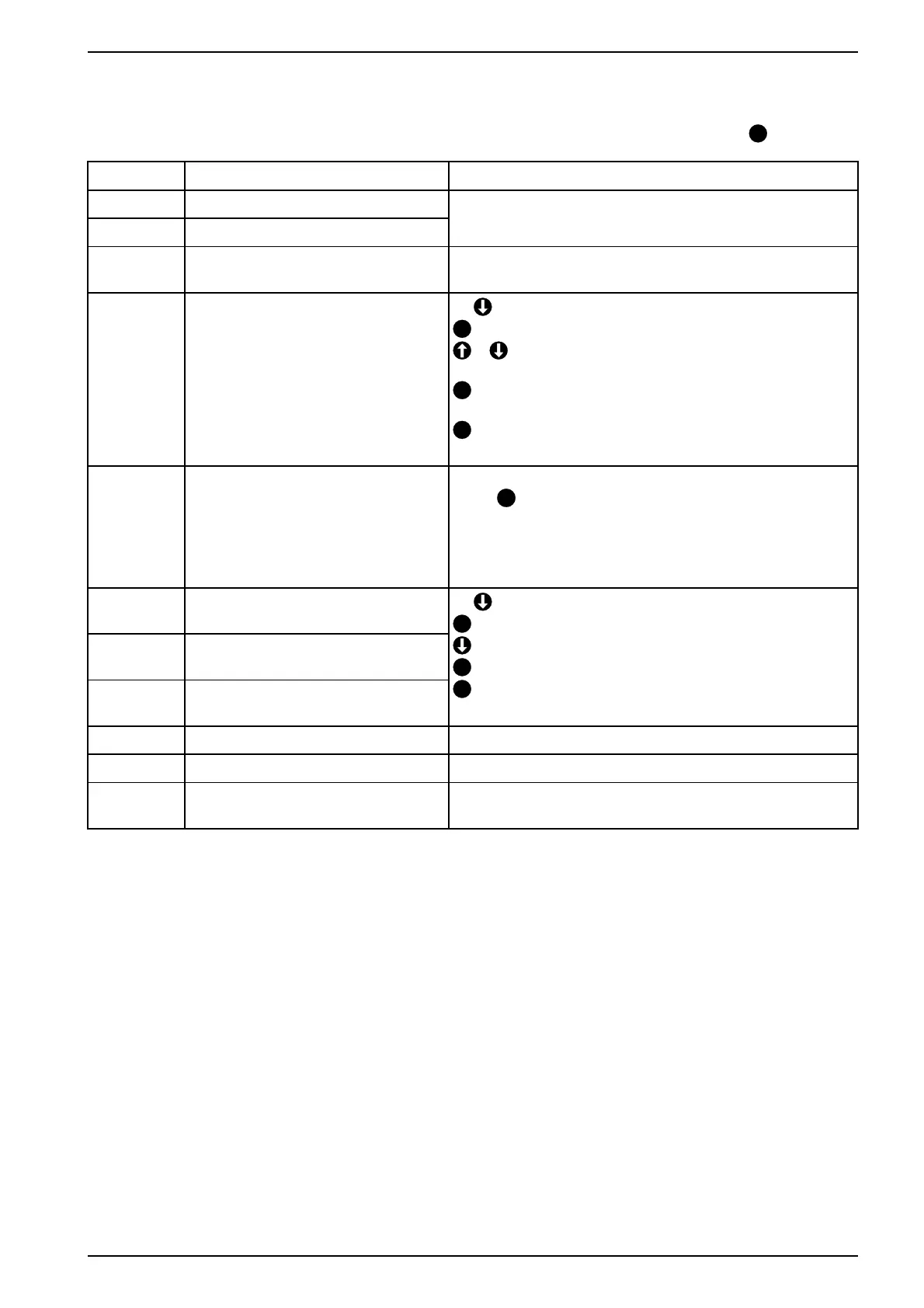
11.1 Error messages
The error messages are shown on the display. The error messages are deleted by pressing key
E
.
Code Fault Elimination
Flashe. Saving or loading error
RS485-TO Timeout interface
Turn machine off and on or call the service.
S.motore Stepping motor at the limit stop or
blocked or timeout
Turn the machine off an on and choose the program
again.
Curr.e. Current to high
Machine is rough-running or blocked
3x
M.Motor
E
5s Confirm → manual operation
or Move carefully stepwise forwards or backwards
until the feeding funnel and the magazine are removable.
C
Starting position
Insert feeding funnel and fix it.
E
Exit and back to the operating menu
Insert the magazine.
Start=0 Wrong triggering
The starting switch S1 is activate
short.
Remove magazine
Press
E
. The machine goes to the starting position.
Insert the magazine.
If you don’t remove the magazine, the right treatment of
the ferrule can’t be guaranteed.
Start=1 Start position error
Starting switcis used
Stop=1 Stop position=1
End position not reached
Stop=0 Stop position=0
Too much time for one cycle
3x
M.Motor
E
5s Confirm → manual operation
Press until the motor stops.
C
Starting position
E
Exit and back to the operating menu.
Insert in the magazine.
Trash=0 No stripping waste container Insert the stripping waste container completely.
Flap=0 Flap open Close the flap.
Service Message after 200 000 crimps The machine should be returned to the manufacturer for
any necessary maintenance work.



 To Next Page