12
January, 2017
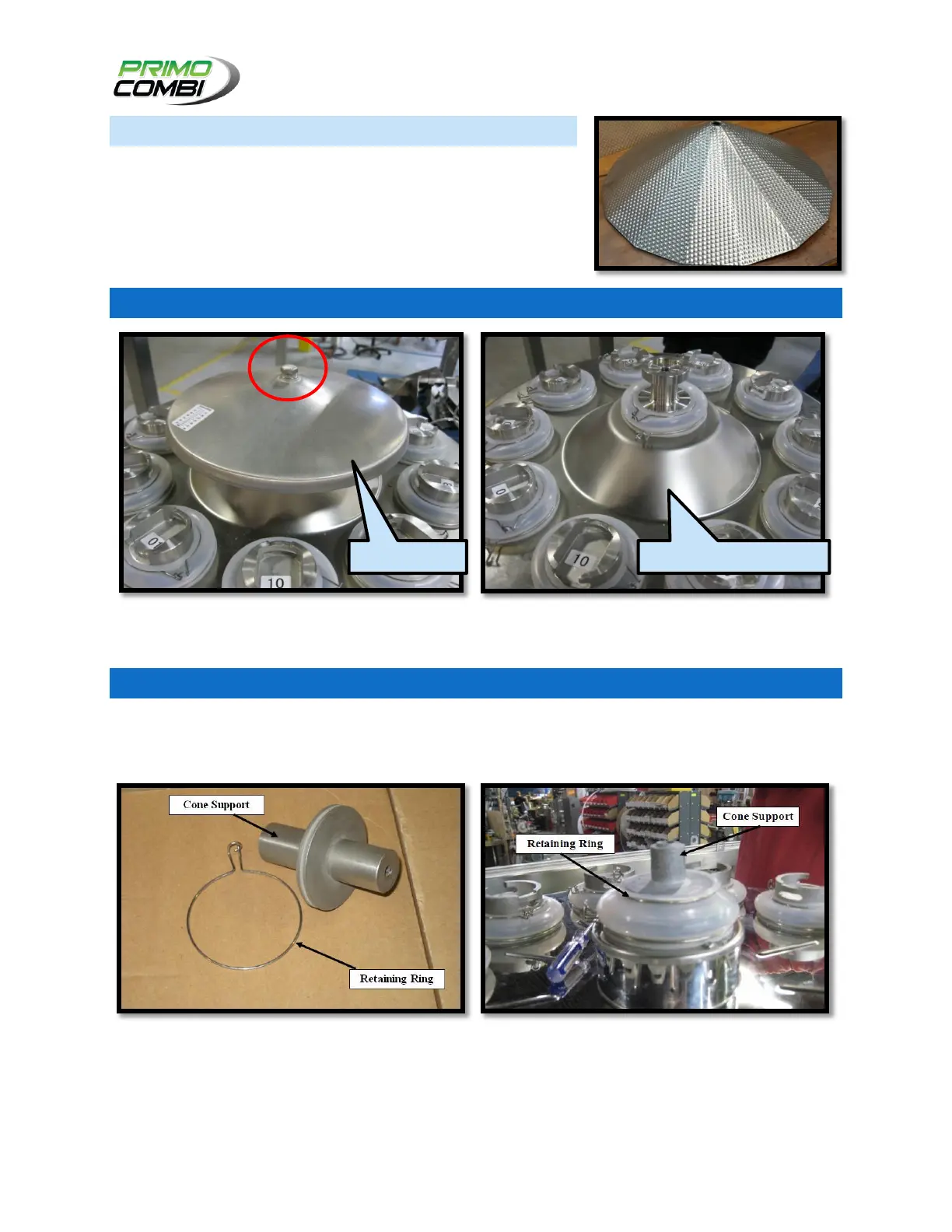
CENTER CONE
The Center Cone of the scale is used to distribute product to the
Linear Pans from the Hopper.
SOME OF THESE MECHANICAL COMPONENTS ARE OPTIONAL, AND NOT
INCLUDED IN EVERY PRIMO COMBI.
CENTER CONE VIBRATOR
To access the center cone vibrator remove the center cone by unscrewed the nut seen in the image
above, exposing the rubber cover underneath.
CENTER CONE LOAD CELL
The Center Cone may be optionally equipped with a load cell, which will sense if a sufficient quantity of
product is being fed from interfaced equipment to the Center Cone. If the Center Cone’s load cell senses
there is insufficient product on the Load Cell, it will signal for additional product to be fed to the Scale.
Using the Retaining Ring, fix the support as shown in the image above. Screw in the Center Cone using
the provided nut and screw as shown in the image above. If a custom center cone is used, be sure to
install all adapters with the Center Cone Support. The center cone may not vibrate or rotate correctly if
the screw is too deep into the thread of the vibrator/motor.



 To Next Page