26
January, 2017
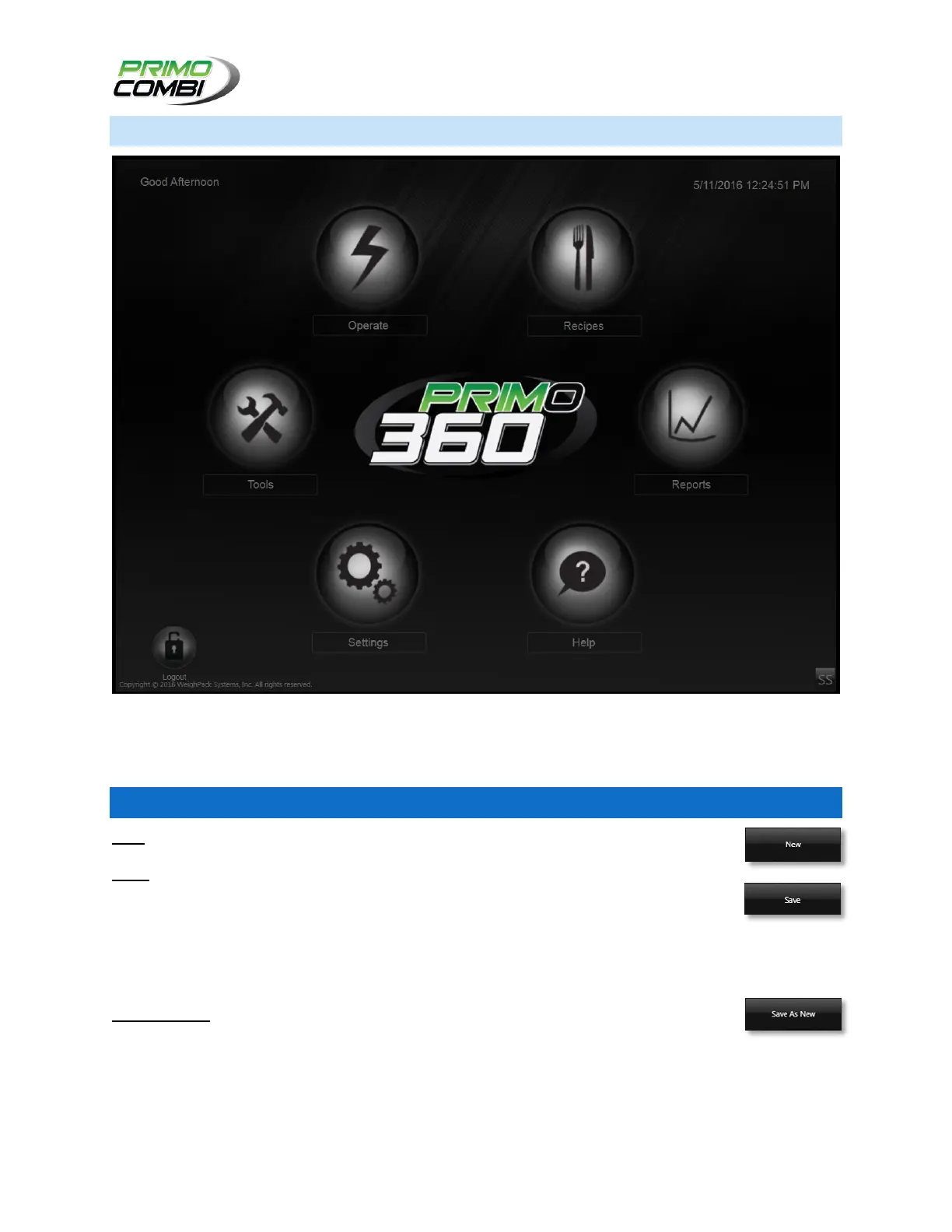
HOME SCREEN
The PrimoCombi’s Home Screen will display after the H.M.I. has loaded. From the Home Screen the
operator can navigate the controls of the H.M.I. Software. Some screens may only be accessed after
Logging on with the correct ID and Password, please refer to the Login Screen for more details.
GENERAL CONTROLS FOUND THROUGHOUT THE H.M.I…
NEW – Pressing a button labeled New will create a record for the screen that you are in.
SAVE – Pressing a button labeled Save will save any settings that you have made to the
database. If the button is located on a screen that allows for multiple configurations it will
save the settings to the currently selected items. If the button is located on a screen with
only one configuration, it will save the information on the screen. The only exception to this is on the
Hardware Configuration screen - on this screen the information you enter is saved to the database
and immediately uploaded to the PrimoCombi.
SAVE AS NEW – Pressing a button labeled Save as New will create a new record with the
information that is currently loaded. If you did not modify the description of the selected
record, the new record will have a description which reads as: ‘Copy of name of record’. If you have
settings that are very similar, this can be a time saver.



 To Next Page