28
January, 2017
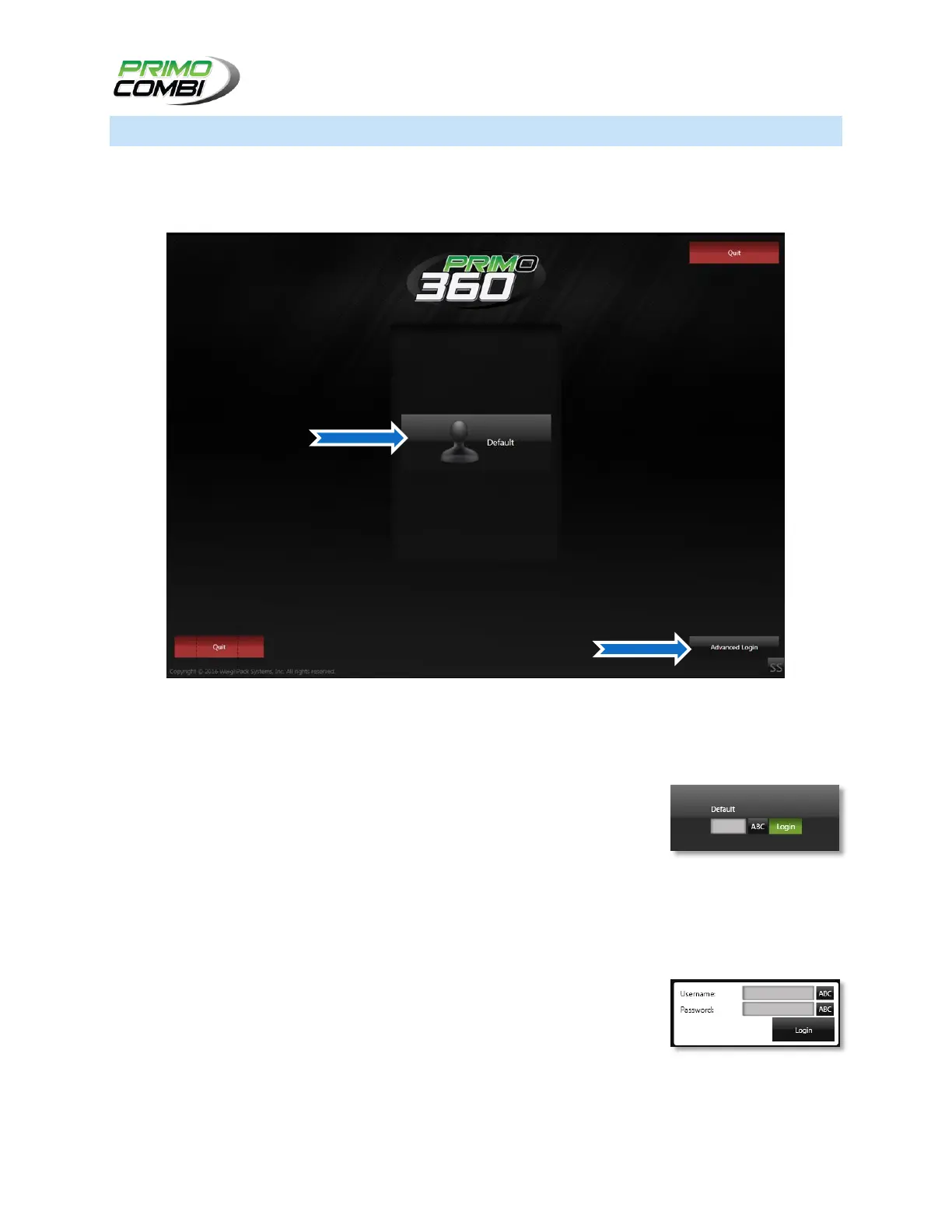
LOGIN SCREEN
Depending on the configuration of your software, you may or may not need to log into the system prior to
operating the machine. If you enable users and securities you will be required to log into the system
before you can operate the PrimoCombi.
Login Screen
BASIC LOGIN
On the Login screen a list of all users that are display-enabled will be shown
on the main screen. To log in simply click on the user you wish to log in as.
Doing this will bring up the password and login box. If you have assigned the
user a password he/she will need to enter it in the textbox located below the username. Clicking the Login
button will log the operator on as the selected user.
ADVANCED LOGIN
To access the advanced login page click the Advanced Login button located
in the bottom right corner of the basic login page. If you have users not
configured to be displayed on the basic login screen you can login as those
users here. Type the User name and Password for the user you wish to log in
as. This is useful for Administrator accounts that must be protected from
regular users on the basic login page.



 To Next Page