29
January, 2017
OPERATE
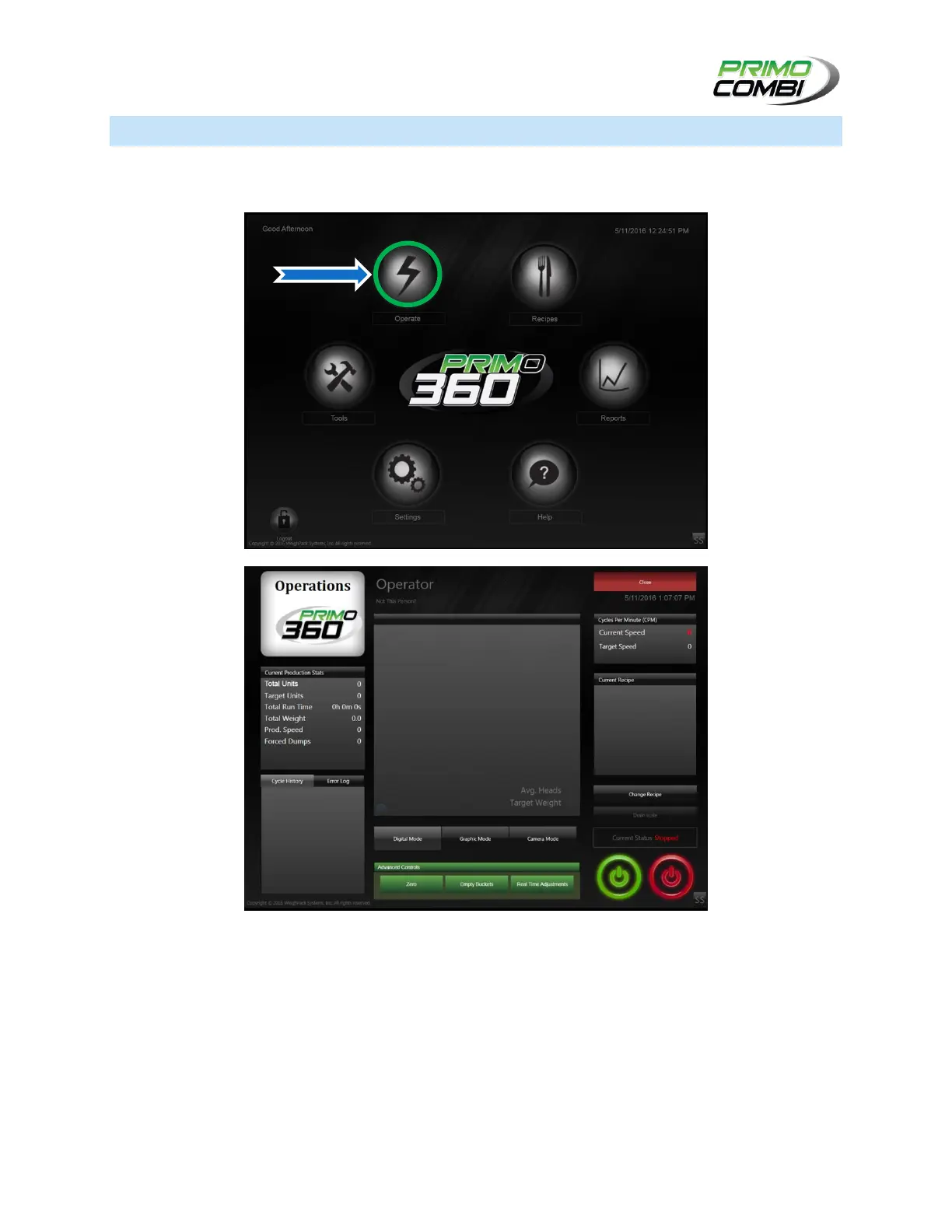
The Operations Screen is the center of the PrimoCombi’s H.M.I. software. To begin running the machine,
simply load a recipe and press on the ‘Green’ start button.
CURRENT PRODUCTION STATS:
TOTAL UNITS: Displays the total number of combinations made in a production run (stopping the
machine will complete a production run).
TARGET UNITS: Displays the total number of units for a single production run.
Total Run Time: Displays the number of minutes for a production run.
Total Weight: Displays the total amount of weight the machine has dumped in a production run.



 To Next Page