37
January, 2017
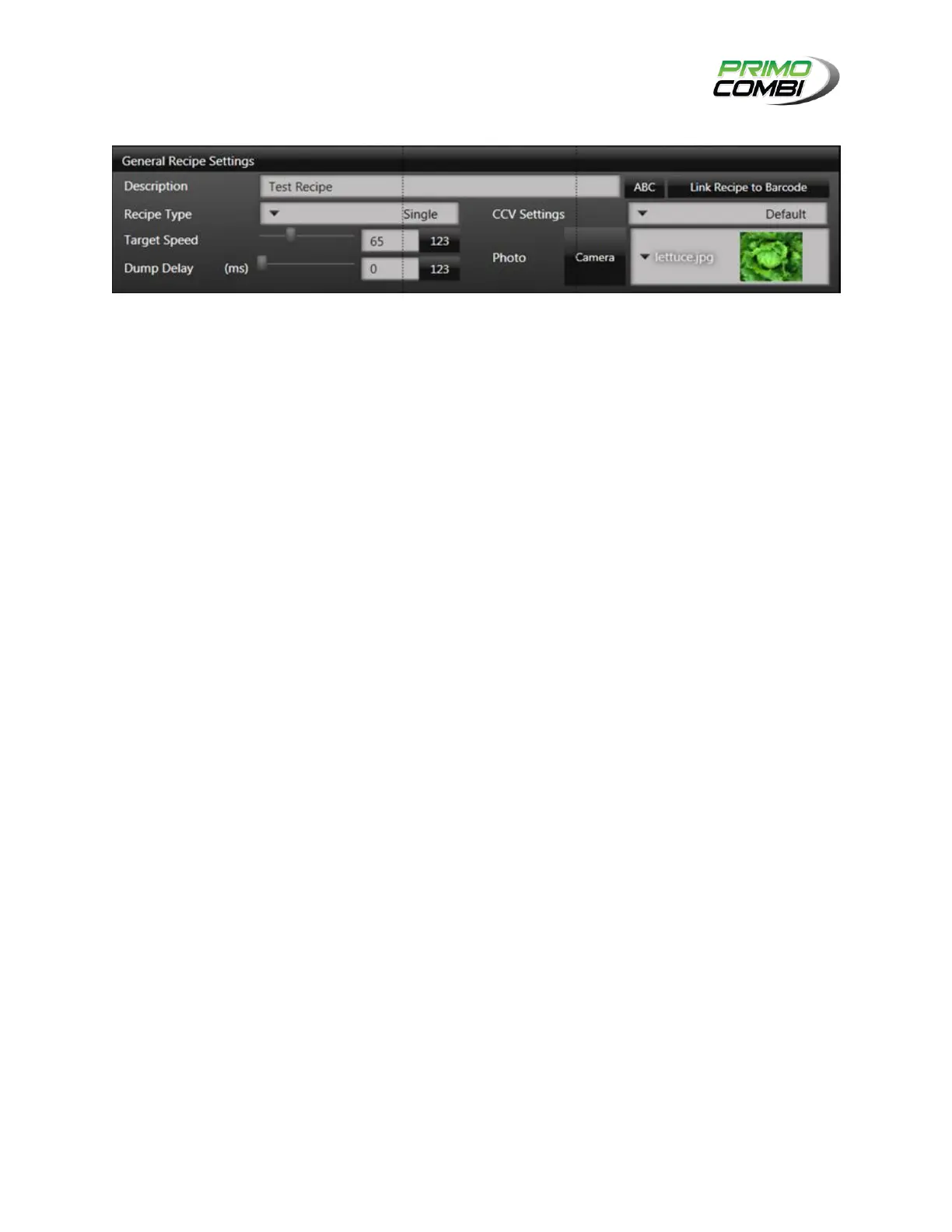
GENERAL RECIPE SETTINGS:
DESCRIPTION: This is the description of the configuration. It is recommended that you give the
configuration a description that allows easy recognition of the settings.
RECIPE TYPE: Allows selection between the four available Recipe Types.
SINGLE: This recipe type is for weighing a single type of product (undivided scale) and delivering
the target weight in a single dump.
MULTIDUMP: This recipe type is for weighing a single type of product (undivided scale) and
delivering the target weight in multiple dumps.
TARGET SPEED: The cycles per minute you want the machine to run at.
DUMP DELAYS: Is the amount of time between the dump request and the moment the PrimoCombi will
perform a dump.
CCV/CCM SETTINGS: Depending on the center cone that is installed on your PrimoCombi you will be
required to choose either a center cone vibrator or a center cone motor configuration that you defined in:
Settings -> Hardware Settings -> Center Cone Configurations.
DUMP TIMES: If using Multiple Dumps, this setting will control the number of dumps performed to achieve
the desired target weight.
IMAGE SELECTION
PHOTO: This field is a drop-down list of all available images that a user can choose from. These
are located in the Product Images folder.
CAMERA: If there is a webcam attached to the 360 Operating System, this button will be enabled.
Clicking this button will open the Picture Taker screen.



 To Next Page