39
January, 2017
OPERATING MODE: The operating mode defines what is more important to you - Speed or Accuracy. In
most cases the Accuracy mode will be the mode of choice. However, if the PrimoCombi is integrated with
a continuous motion system, the Speed mode may be more preferable.
ACCURACY: In this mode the scale will not dump any product without it satisfying the target weight
(plus/minus the limits). If no combination is found in the time allotted the scale will slow down to
find a proper combination.
SPEED: In this mode, as soon as the allotted time is up or a dump request is received, the best
combination found up to that point will be dumped, regardless of whether the target weight is
satisfied or not.
FORCE DUMP: When enabling this mode you will have the ability to choose what dump
criteria to satisfy.
ALLOW OVER WEIGHTS: When this option is chosen, the scale will only force an
overweight to be dumped.
ALLOW UNDER WEIGHTS: When this option is chosen, the scale will only force an
underweight to be dumped.
ALLOW BOTH: When this option is chosen, the scale will allow both under- and
over-weights will be dumped.
NO COMBINATION ACTION: In the event that there is no combination solution, this drop down menu allows
the selection of a course of action that will prevent the machine from stopping operation.
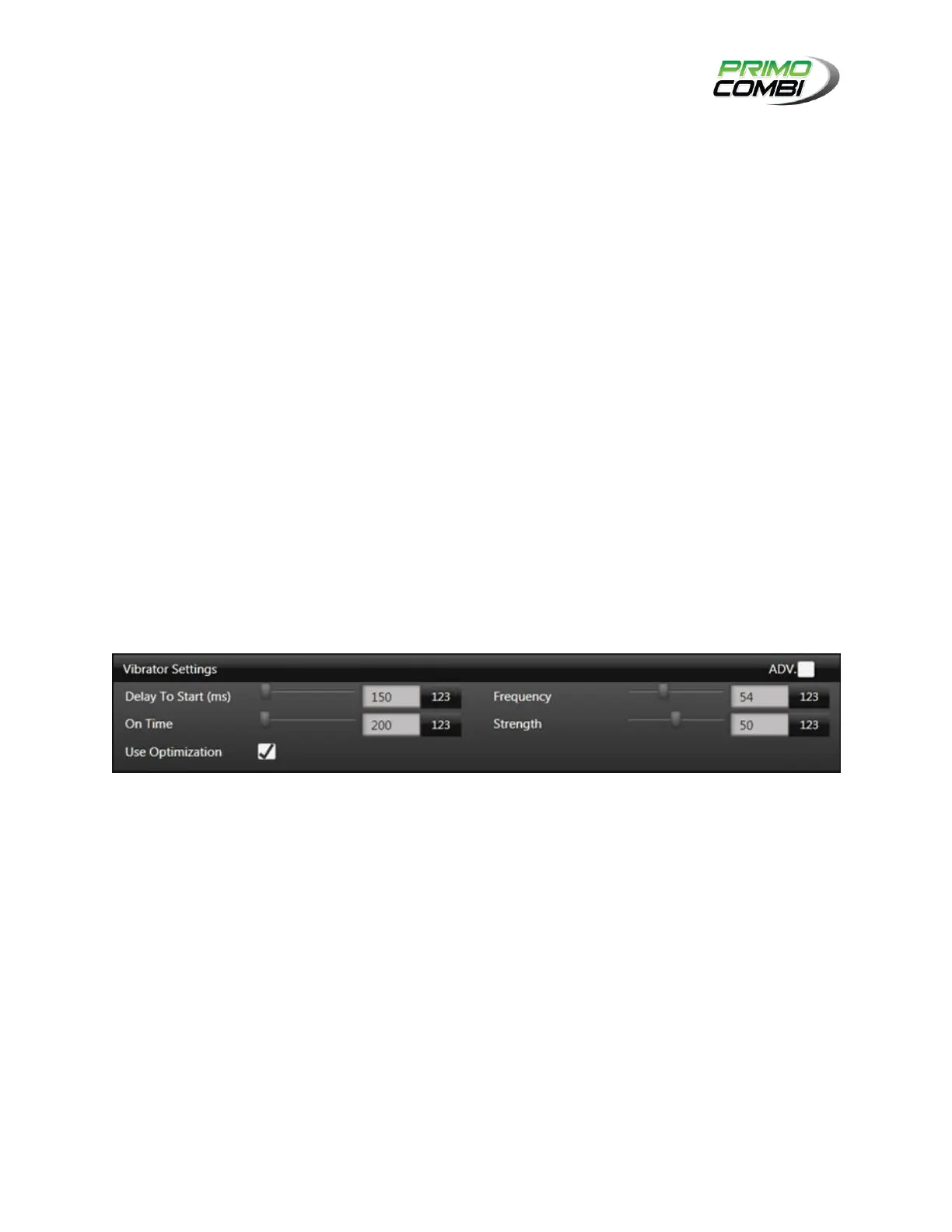
VIBRATOR SETTINGS
DELAY TO START (MS): Indicates how many milliseconds to wait until the vibrator begins to activate (150
by default.)
ON TIME: Indicates the amount of time, in milliseconds, for the vibrator to stay on.
FREQUENCY: The frequency at which the vibrator should vibrate at. Typically, this should be set between
50Hz and 60Hz. For specialty applications this value might require changing. Consult your service
provider for optimal frequency settings (54Hz by default.)
STRENGTH: Increasing this value will increase the strength of the vibrator. Decreasing it will reduce the
strength. Typically, a value between 60% and 75% is acceptable for most applications. Specialty
applications might require different settings, at which point you should contact a service technician for
additional details.
USE OPTIMIZATION: Enabling this will tell the PrimoCombi to manage the Strength values to ensure that
the weights in the buckets are always ideal. This feature is used with consistent and free-flowing product.
(This feature is still under development.)



 To Next Page