57
January, 2017
GENERAL CENTER CONE SETTINGS
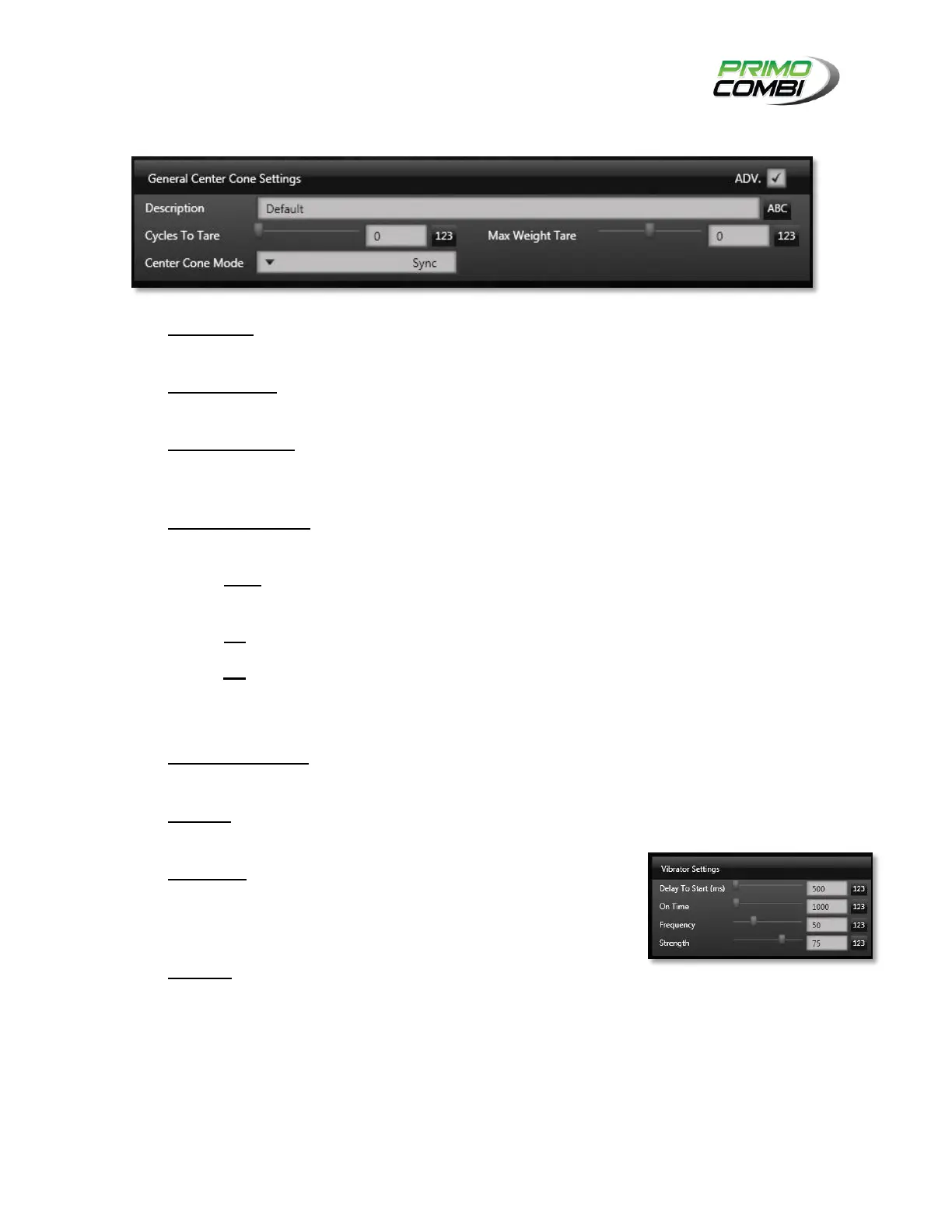
Description – This is the description of the configuration. It is recommended that you give the
configuration a description allowing easy recognition of the settings.
Cycles to Tare– This indicates how many cycles the load cell on the center cone can be used
before requiring a self-tare (a.k.a. zero). (This is an Advanced Setting)
Max Weight Tare– This indicates whether the PrimoCombi should self-tare if the weight on the
center cone is over a certain weight. Load cells are sensitive devices and occasionally a heavy
weight may decrease accuracy. (This is an Advanced Setting)
Center Cone Mode – This indicates how the center cone should operate with regards to the
whole system.
o Sync – Most applications should use Sync mode. This will activate the center cone when
a combination is dumped and heads refilling is required.
o On – This will enable to center cone to be running at all times.
o Off – This will disable the center cone from running at all times.
VIBRATOR SETTINGS
Delay to Start (ms) – This value indicates how many milliseconds
to wait until the vibrator begins to activate.
On Time – The amount of time, in milliseconds, for the center cone
to stay on.
Frequency – The frequency at which the center cone should
vibrate at. Typically this should be set between 50Hz and 60Hz. For
specialty applications this value might require changing. Consult
your service provider for optimal frequency settings.
Strength – Increasing this value will increase the strength of the
vibrator; decreasing it will reduce its strength. Typically, a value
between 60% and 75% is acceptable for most applications.
Specialty applications might require different settings at which point
you should contact a service technician for optimal settings.
The Vibrator design of the PrimoCombi is unique in the world of multi-head weighers. They are DC-driven
using a square wave, providing a more flexible and more powerful vibration.



 To Next Page