70
January, 2017
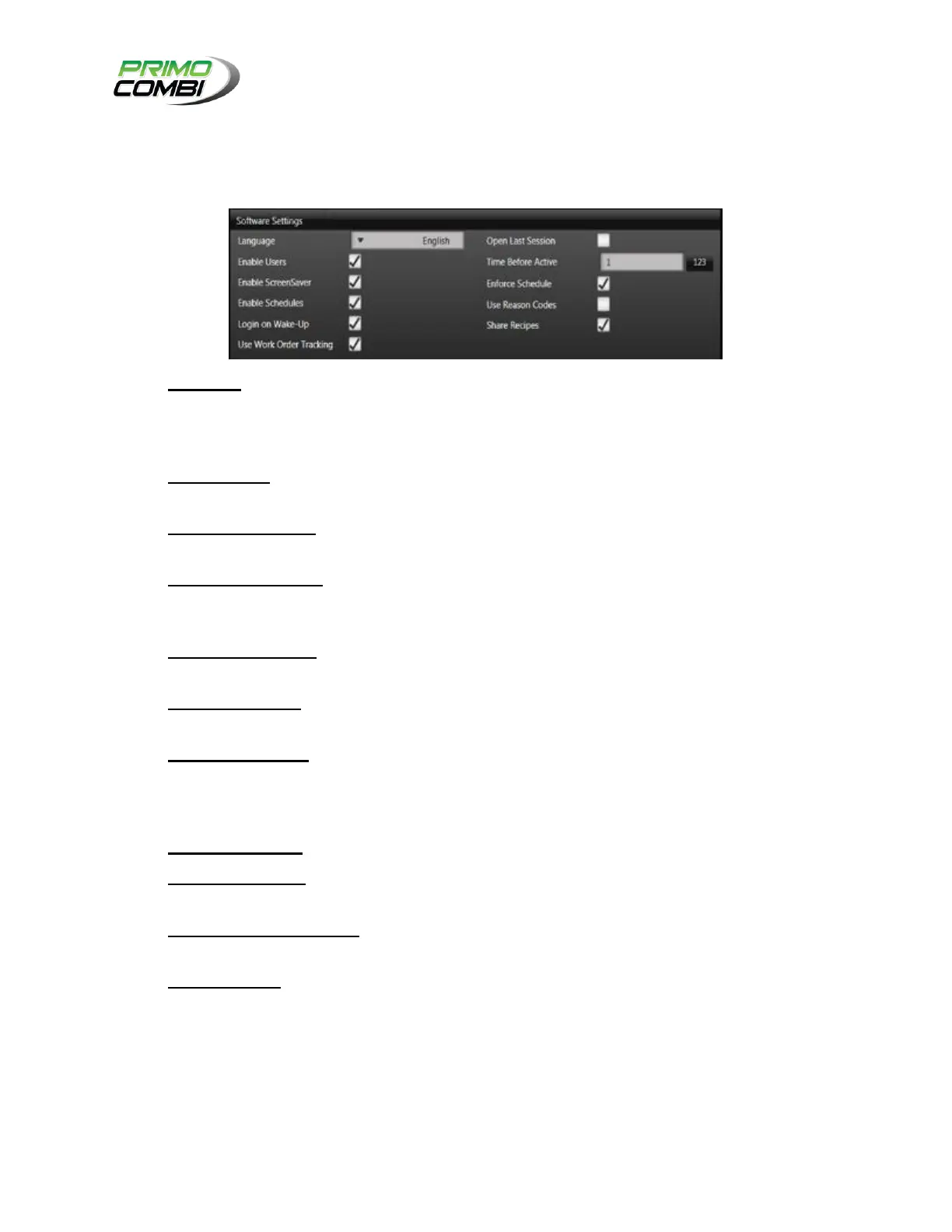
SOFTWARE SETTINGS
The Software Settings section is for general software settings. This will allow you to customize your 360
Operating System software to your needs.
Language – Indicates the language of the software. New languages are being added all the time,
so if there is a language that you require and it is not installed on the 360 Operating System call
your service provider to see if the language is available. You can also create custom languages
that will appear on this list.
Enable Users – Use this if you want to track which users are logged in or enforce security
settings on the 360 Operating System. This will allow you to create users and groups.
Open Last Session - By enabling this option, when you open the 360 Operating System, it will
automatically load the Recipe and settings from the last time the PrimoCombi was used.
Enable Screen Saver – The screen saver will create an overlay on the touch screen, preventing
any of the buttons on screen from being used. You will still be able to monitor the operations of
the scale but you will need to unlock the screen before using the touch screen.
Time Before Active – The number of minutes of inactivity to wait before the screen saver
becomes active.
Enable Schedules – This enables the scheduling section of the software – it allows managers to
tell the scale what product should be running when, by whom, and for how long.
Enforce Schedules – When a schedule is slated to begin the operator is asked whether to load
the schedule, but has the option to snooze the schedule. When Enforce Schedules is enabled the
schedule cannot be snoozed, the operator scheduled to run must be logged, and the 360
Operating System will load all settings required.
Login on Wake-up – Checking this option will bring up the Login Screen during wake up.
Use reason Codes – If enabled, this will prompt a Reason Code window forcing the operator to
describe why a certain action has been performed.
Use Work Order Tracking – If this option is checked, the system will request an order number
on start up, and if the current order is completed when stopped.
Share Recipes – When using multiple PrimoCombi scales, ‘Share Recipes’ will allow all
machines with this activated feature to share recipes.



 To Next Page