84
January, 2017
ACTIONS
The Actions tab is where you choose whether you want to import or export information from the database.
EXPORT
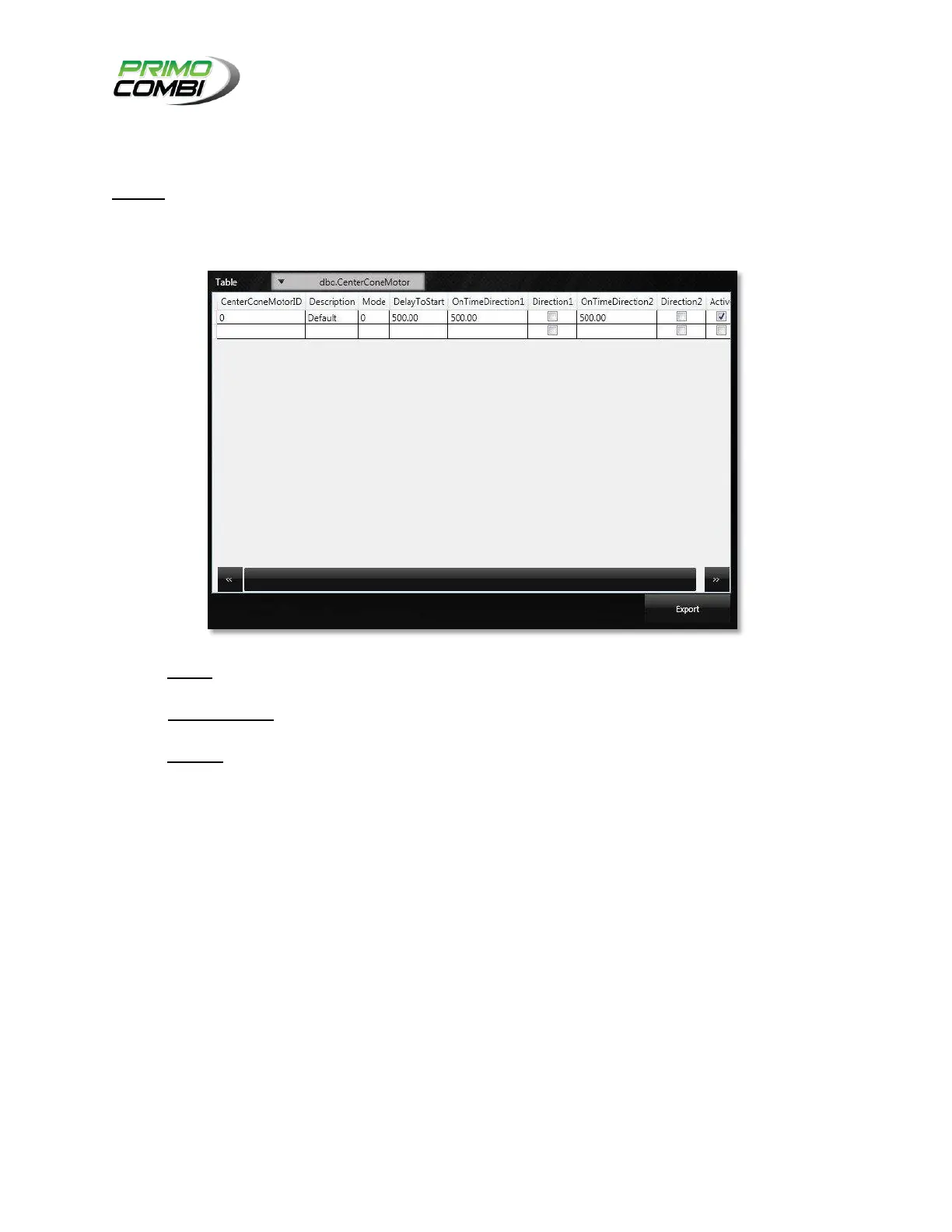
Pressing the Export button under the Actions tab will open the Export Screen, where the operator can
save database information to an XML file for easy data transfer from one system to another.
TABLE – The Table drop-down menu allows you to choose which table you wish to export the
data from.
CENTRAL GRID – This is where the data in the selected table will be displayed. Here you can
select the rows that you want to export. You can select multiple rows for export.
EXPORT – Pressing this button will export the selected data from the Central Grid. The data will
be exported to the Exported Data folder (by default located in the C:\Program
Files\CombiScale\Primo360OS\ folder).



 To Next Page