28 Using the ventilator
If the set level is reached, e.g. in cases where compli-
ance is inadequate, MEDUMAT Standard a sets off a
stenosis alarm (note “ Stenosis alarm“ on page 34).
5.3 Select ventilation method
Ventilation in Controlled Ventilation
mode
The MEDUMAT Standard a is automatically in
Controlled Ventilation mode when switched on.
The LED in key
Assist does not come on.
The patient is supplied with air for breathing at an in-
spiration/expiration ratio of 1: 1.67 according to the
set ventilation parameters (note “5.2 Selecting the
ventilation settings“ on page 26).
Ventilation in Assisted Ventilation
mode
To switch on „Assisted Ventilation“ mode, please
press key
Assist.
„Assisted Ventilation“ mode is indicated by the
green LED in key
Assist flashing.
Ventilation pressure
in mbar
Time in s
Expiration
Inspira-
tion
Ventilation frequency
30
20
10
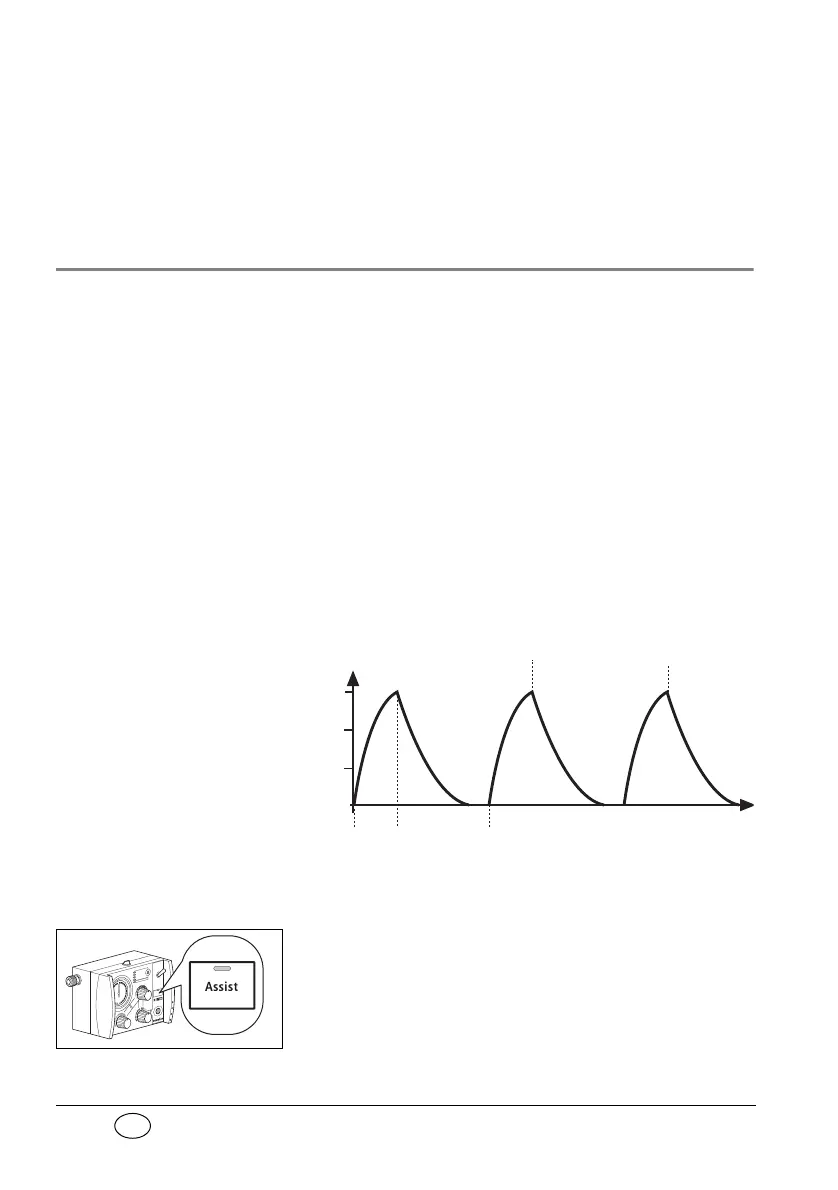
Example of a ventilation curve in Controlled
Ventilation mode:


 To Next Page