Functional checks 53
4. Switch on the MEDUMAT Standard a.
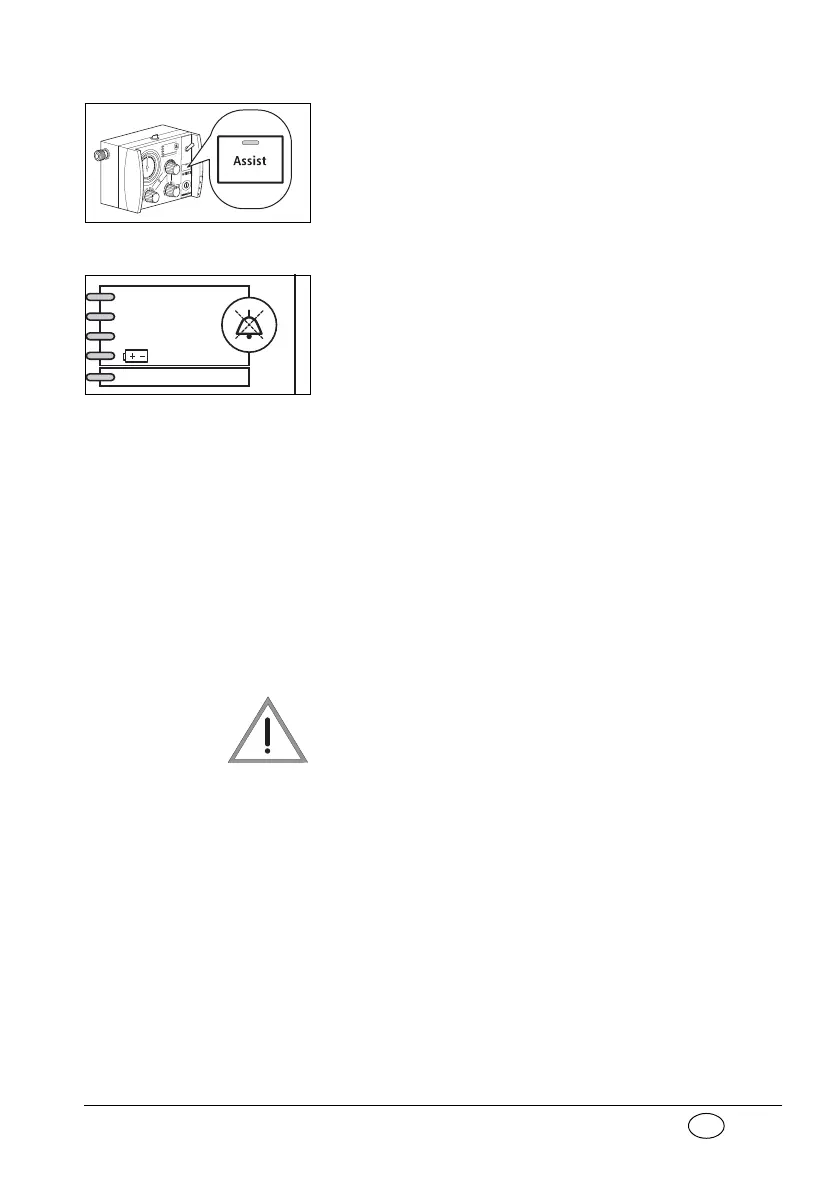
5. Press the Assist key to switch on „Assisted
Ventilation“ mode.
„Assisted Ventilation“ mode is indicated by the
flashing green LED in the Assist key.
6. Wait 2 inspiration phases.
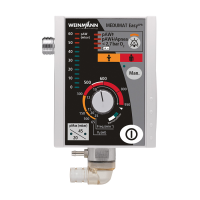
The No Assist alarm should then be triggered:
the yellow No Assist LED in alarm field flashes.
The acoustic alarm comes on only after 1 min-
ute.
7. Simulate inspiration pulses with one hand by
pressing the test bag together several times.
– The pointer of ventilation pressure gauge
1
must go into the negative range during the
simulation. Negative pressure must be at
least – 0.8 mbar;
– As soon as the MEDUMAT Standard a
detects the pulse within the time window,
the yellow No Assist LED goes out. This en-
sures that the MEDUMAT Standard a recog-
nizes trigger pulses.
8. Switch the MEDUMAT Standard a off again.
Risk of injury if test bag removed
incorrectly!
If the test bag is removed incorrectly, the con-
nector of the test bag may remain on the pa-
tient’s hose system. The increased airway resis-
tance on inspiration which results may injure the
patient.
– When removing the test bag, always take it
off at the connector.
9. Detach the test bag from the patient valve.
Stenosis
Disconnection
< 2,7 bar O
2
No assist


 To Next Page