Contents [ hide
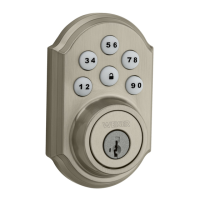
1 SmartCode 5 Touchpad Electronic Lever GED1450
1.1 Installation and User Guide
1.1.1 1. Prepare the door and check dimensions
1.1.2 2. Install the latch and strike
1.1.3 3. Install the exterior keypad, mounting plate, and spindle
1.1.4 4. Install interior assembly
1.1.5 5. Install levers
1.1.6 6. Test latch operation
1.1.7 7. Add user codes (8 max)
1.1.8 8. Test the lock (review normal operation)
1.1.9 9. Re-key the lock (if needed) and install the battery cover
1.2 Reference Guide
1.2.1 SmartCode at a Glance
1.2.2 System Alerts
1.2.3 Switches and Status LED colors
1.2.4 Deleting a user code
1.2.5 Troubleshooting
1.2.6 Battery Replacement
1.2.7 Factory Reset
1.2.8 Important Safeguards
2 Related Manuals:
SmartCode 5 Touchpad Electronic Lever GED1450
Installation and User Guide


 To Next Page