Installation and operating instruction
Gas burner WG20…/1-C Z-LN
6 Operation
83054602 1/2020-01 La
30-96
6 Operation
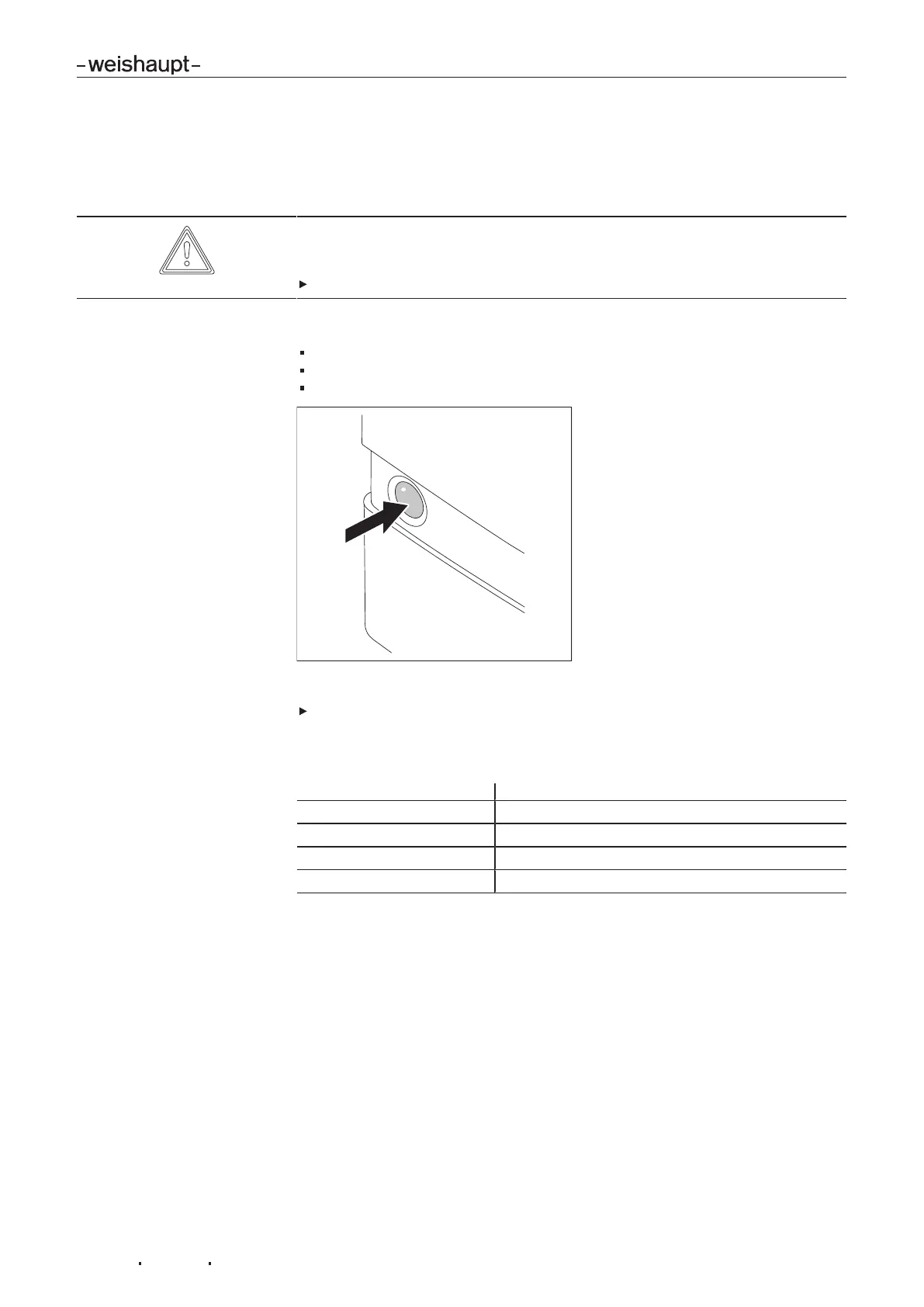
6.1 Operating panel
CAUTION
Damage to the combustion manager due to incorrect operation
Excessive pressure applied to the illuminated push button can damage the com-
bustion manager.
Only lightly press illuminated push button.
The illuminated push button on the combustion manager has the following func-
tions:
display operating condition [ch.6.2],
display fault codes [ch.10.1.2],
reset burner lockout [ch.10.1.2].
Re-starting the burner during burner operation:
Press illuminated push button for 1 second.
6.2 Display
Illuminated push button Operating condition
orange Start phase
Flashing orange Ignition and pre-purge phase
Green Operation
red Fault [ch.10]
Additional flashing signals can be read off as fault code [ch.10].


 To Next Page
 Loading...