13
6 Additional setting possibilities
6
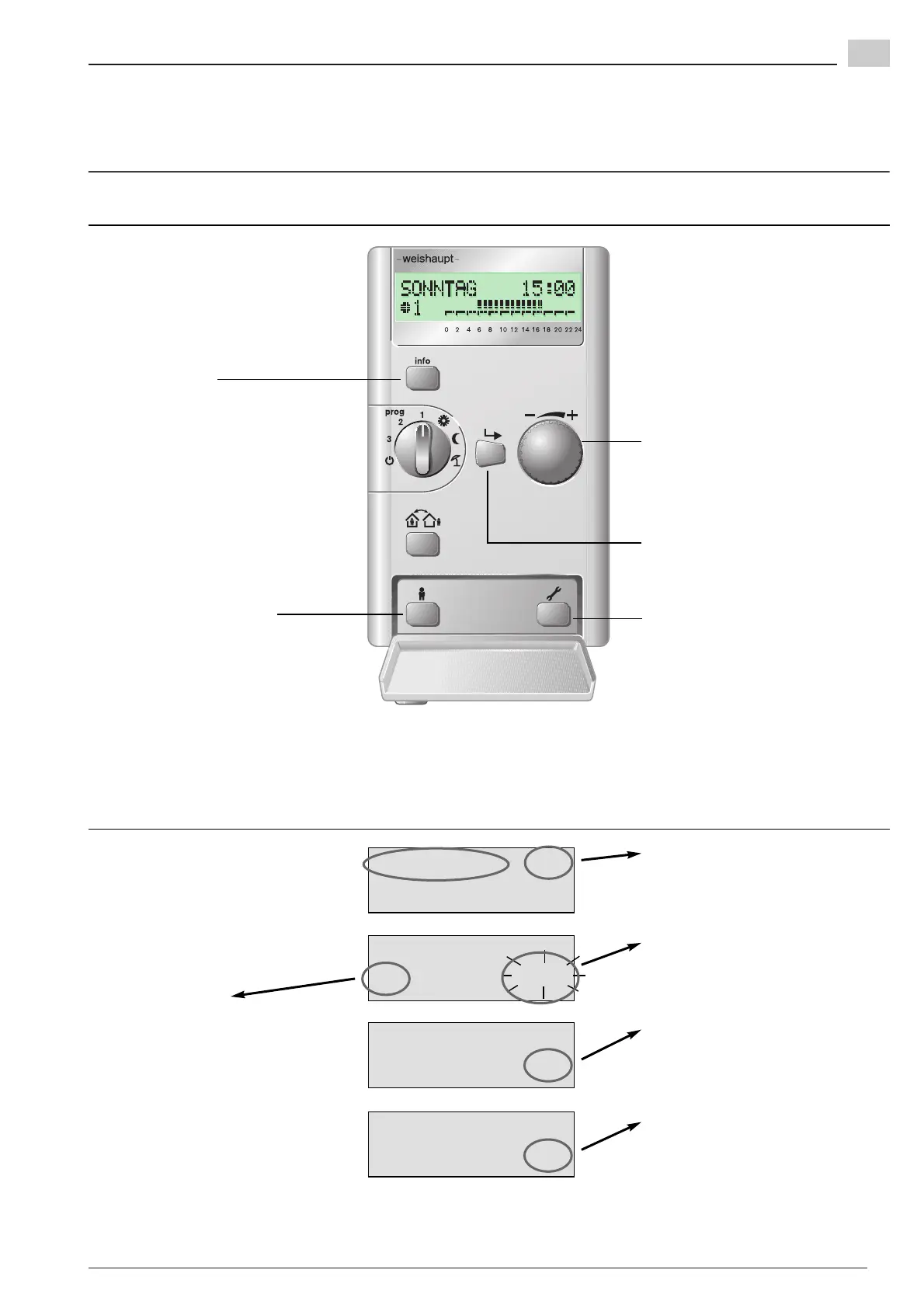
1:Operator -/+
Setting values
Return to the direct
setting level or Info level.
This button is used to abort the
settings. Any unsaved changes
will be lost.
Extended setting level
To select the extended setting level.
– or –
A step back
(unsaved alterations are lost).
The dial knob has two functions:
1. Selection of parameter groups or
parameters.
2. Alteration of setting values.
Only for the heating engineer.
This button confirms the selection
you made with the dial knob or the
alterations made to the setting
values.
6.1 Operating and display elements of the extended setting level (flap open)
Gradient
54 $$$
Gradient
54 ---
S/W switchover
53 20.0
Function not active, heating circuit
switched off.
Function is activated once a value
has been set.
“ -/+” shows that other parameter
groups can be selected by turning
the dial knob.
A flashing parameter value can be
altered with the dial knob.
“Operator” shows that you are in
the extended setting level.
“1:” marks the selected heating
circuit (here heating circuit 1)
Parameter number
Value not yet available,
searching.
The control of your heating system has been factory
preset. These standard settings (see Ch. 9.1) were
selected in such a way that you will need to make very
few changes.
However, if you want to make changes anyway, these
can be made in the extended setting level.
You can also carry out these settings when the
operating unit has been removed. Please observe the
notes in Ch. 6.3.
Meaning of display


 To Next Page