_______________________________________________________________________________________________________________________________
Merrychef eikon
®
e2s Installation and User Manual
_______________________________________________________________________________________________________________________________
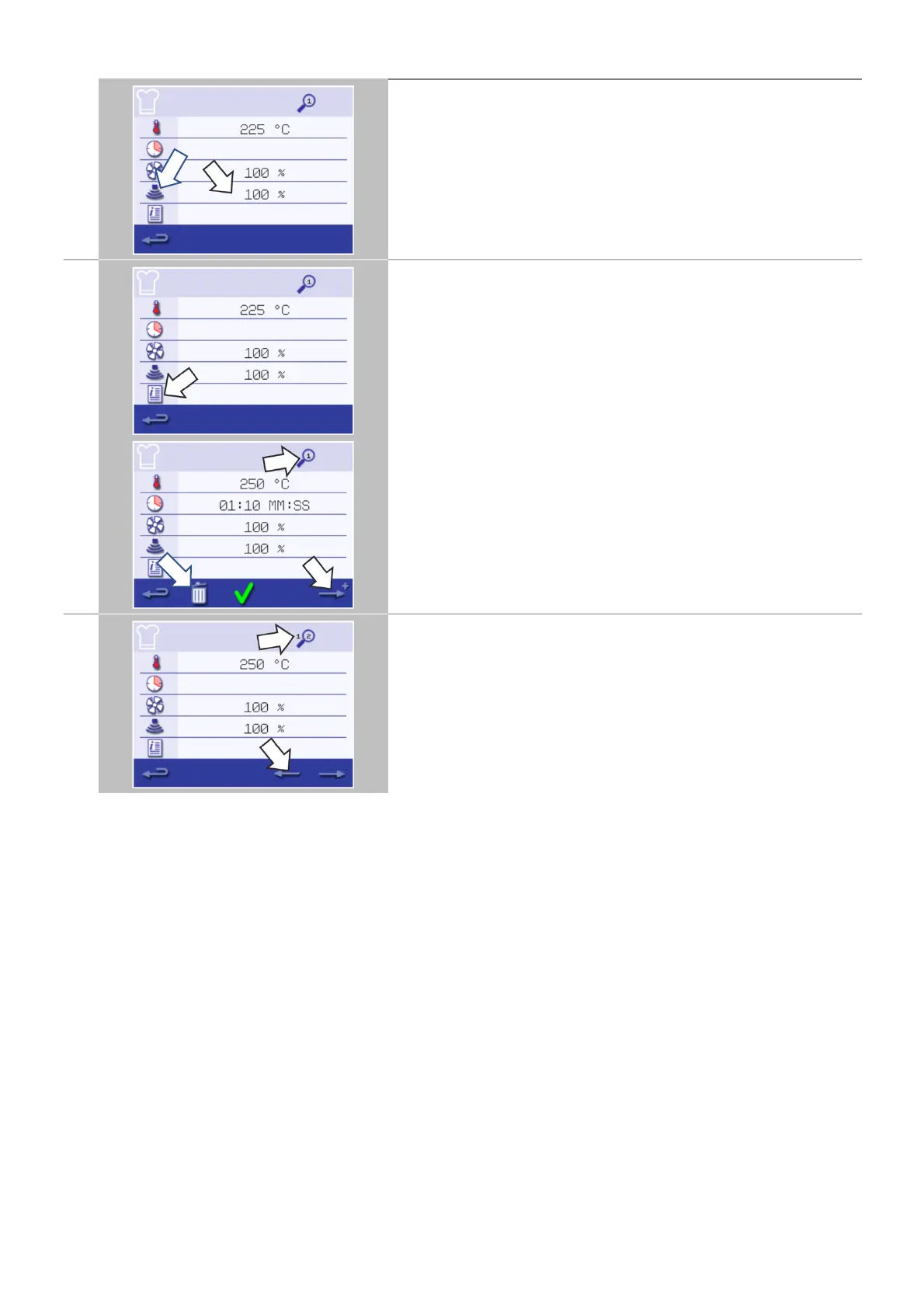
Select the 'microwave' symbol.
Set the microwave power in the keypad (0 and 5-100%).
Select the green check mark to save the inserted value.
Select the 'information' symbol to enter an instruction of a stage
(optional).
Example: "Stage 1 - place a food product into the cavity".
When cooking the instruction appears in the display at the beginning
of that stage.
Select the green check mark to save the inserted instruction.
Select the right arrow with a 'plus' symbol at the bottom to add a new
stage.
Delete a stage by pressing the 'dustbin' symbol.
Cooking profiles can have up to a maximum of 6 stages.
Repeat the steps 2-6 from stage 1 above to create a new stage.
The 'magnifier' symbol at the top indicates which stage is displayed
on the screen.
Select the left/right arrow displayed at the bottom to shift between
the set stages.



 To Next Page