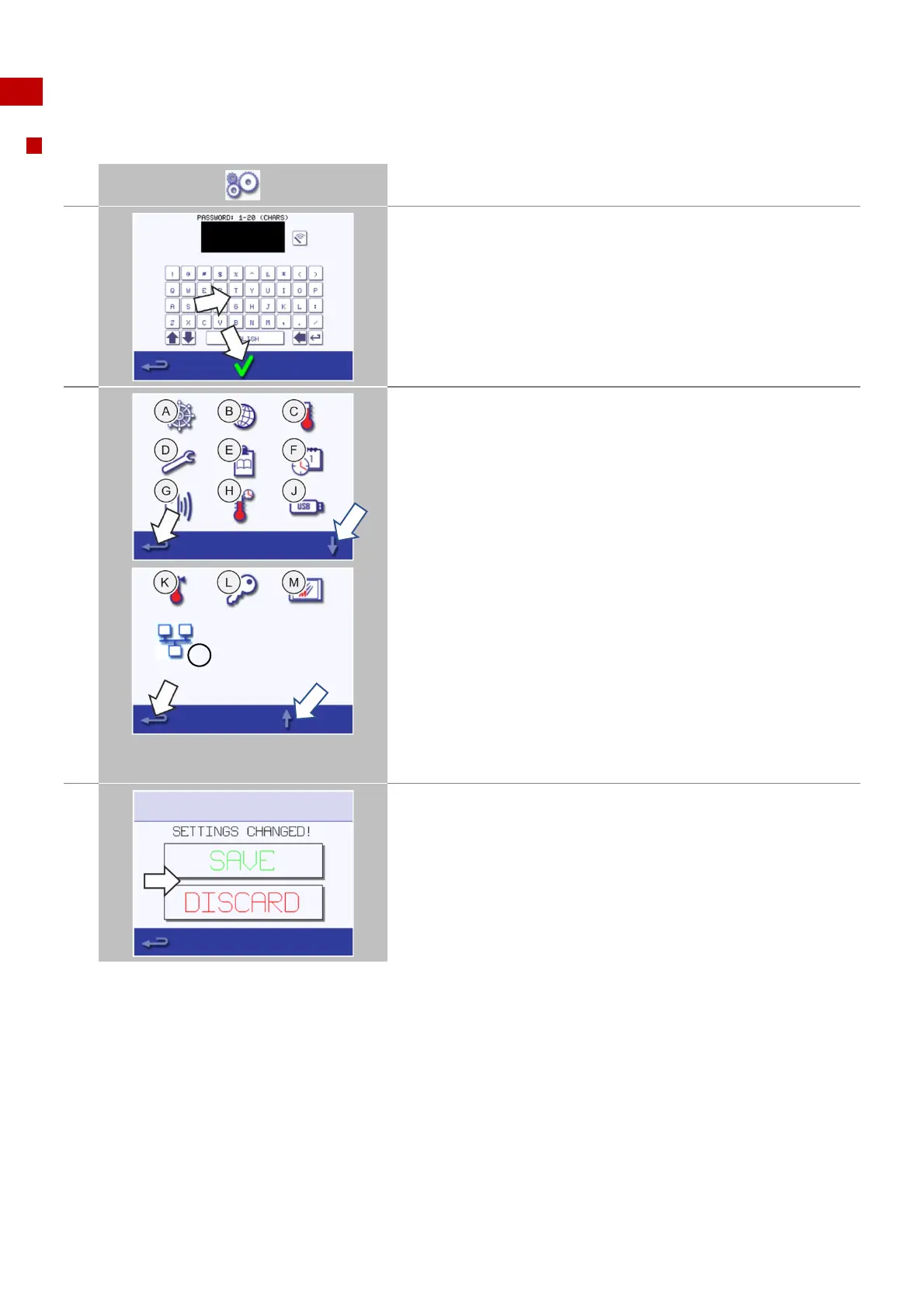
The 'settings' menu comprises the following functions:
A. Operating mode / navigation settings
B. Language options
C. Pre-Heat Temperature settings and labels
D. Service information and error logs (password required)
E. Cooking profile counters
F. Date and time settings
G. Speaker settings and sound levels
H. Timer (Temperature / ON / OFF)
J. USB program connection
K. Temperature band ('Temp Band')
L. Change access passwords, settings and service screens
M. Screen saver
N. Kitchen Connect
When finished with a setting, select backspace to return to the main
settings menu.
Use the up/down scroll arrows at the bottom of the screen to display
all functions of the 'settings' menu.
Press the backspace button to exit the 'settings' menu.
A prompt appears to either ‘SAVE’ or ‘DISCARD’ any changed settings.
Discard will not save any changes made.



 To Next Page