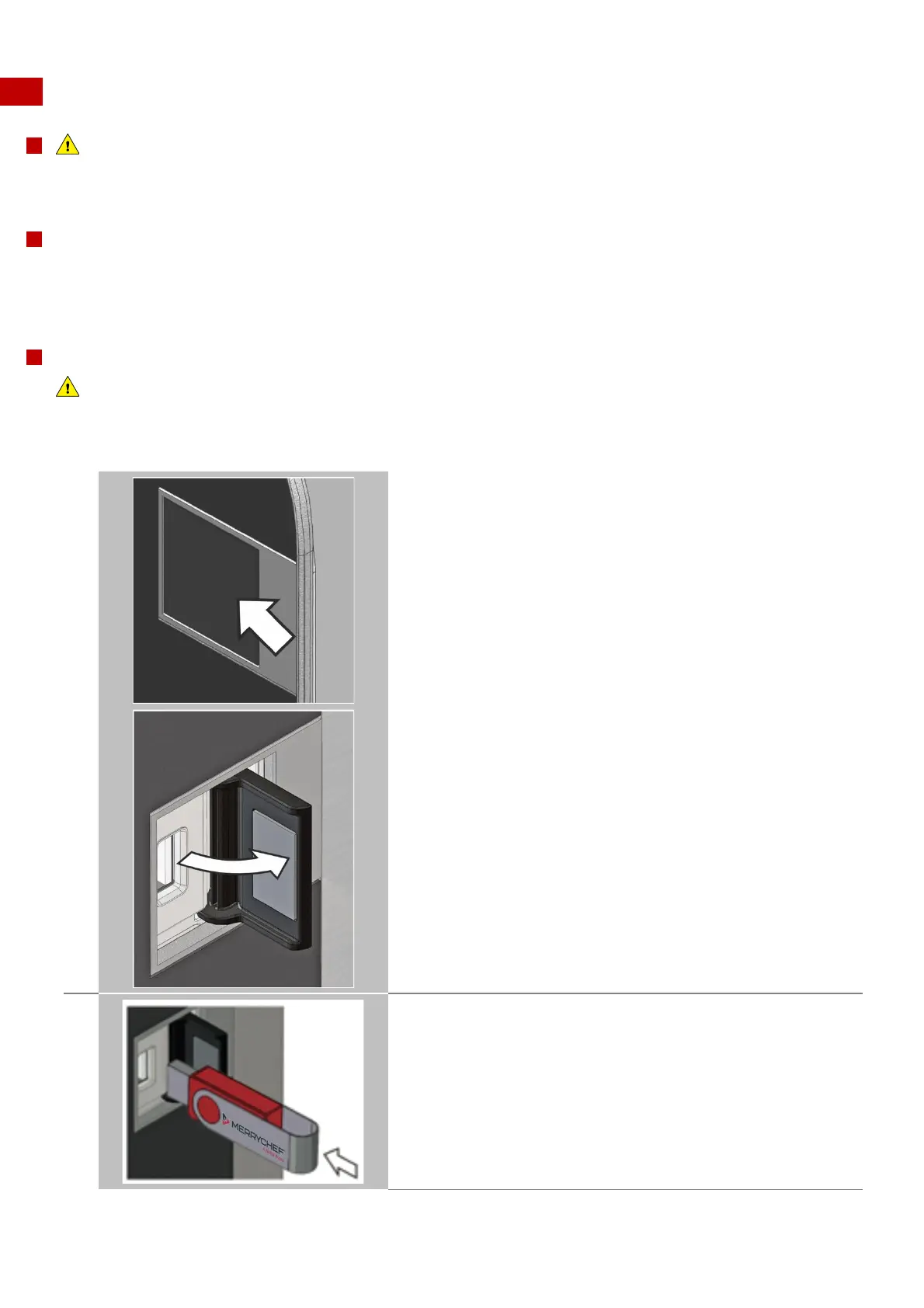
8.2.7 Using a USB stick
For your safety when using the appliance
Before starting work, it is essential that you familiarize yourself with the rules and hazard warnings specified in section 8.1.1
‘Working safely with the appliance', and follow the instructions given there.
Purpose of the USB cover
The USB cover protects the USB port so that no water vapour can get into the control electronics during cooking or cleaning.
During cooking and cleaning, there must not be a USB stick inserted and the USB port must be
closed by the cover.
USB programs
IMPORTANT
Downloading from a USB memory stick will clear all the existing programs in the memory of the appliance.
Check that the key has the correct number/code for the programs you want to load into the memory (1 ‘.cbr’ + ‘autoupd.ate’).



 To Next Page