_______________________________________________________________________________________________________________________________
Merrychef eikon
®
e2s Installation and User Manual
_______________________________________________________________________________________________________________________________
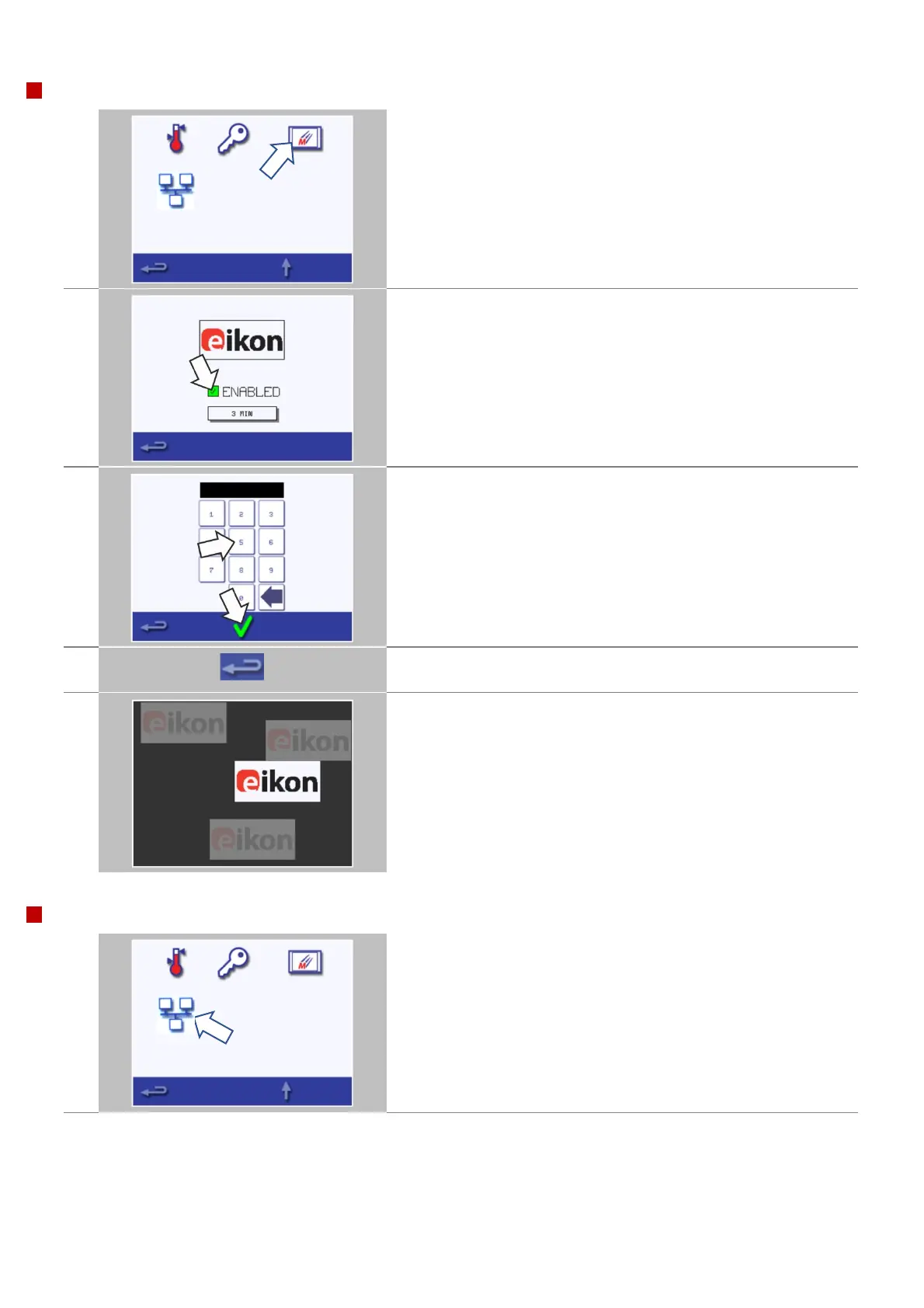
Select the 'screen saver' symbol.
Select the 'ENABLED' checkbox to switch the screen saver ON or OFF.
Select the 'time' box below to set or change the time setting before
the screensaver is enabled.
Enter a time delay on the keypad from 1 to 60 minutes before the
screen saver starts.
Press the green check mark to confirm.
When finished, select backspace to return to the main settings menu.
An active screen saver will mask the screen showing a moving image.
To use the touchscreen, tap the screen to deactivate the screen saver.
The communication settings for the optional Kitchen Connect
Communications Module can be accessed by selecting the ‘KCCM’
symbol.
(the icon is only displayed if the KCCM has been installed)



 To Next Page