_______________________________________________________________________________________________________________________________
Merrychef eikon
®
e2s Installation and User Manual
_______________________________________________________________________________________________________________________________
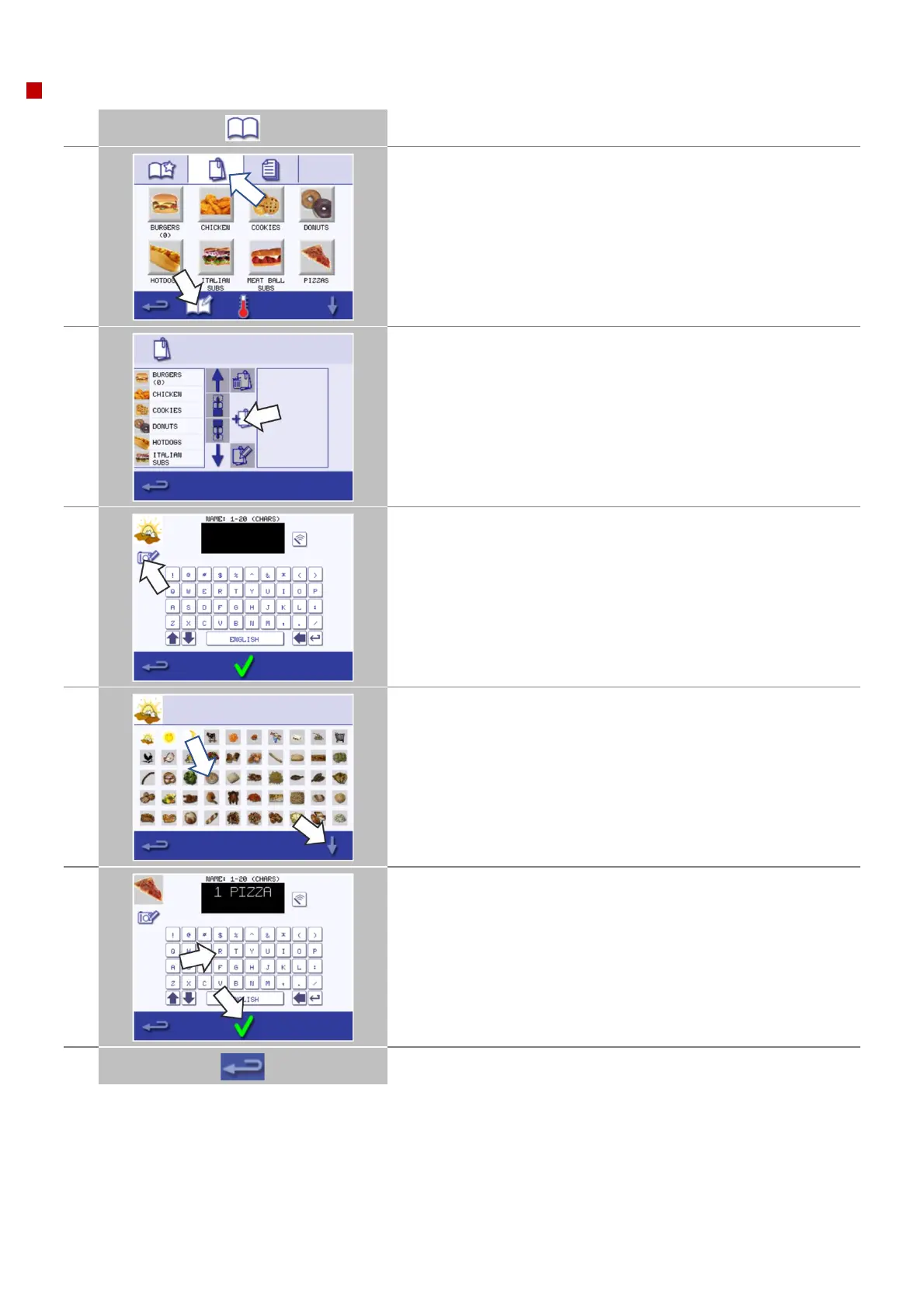
Adding a new cooking profile group
Select ‘cookbook’ from the main menu screen.
Select the ‘edit cookbook’ symbol.
Select the ‘add a new cooking profile group’ symbol.
Select the 'camera' symbol to open a pictures database.
Select a picture from the database to represent the cooking profile
group.
Use the scroll arrows at the bottom of the screen for more pictures.
Enter a name for the new cooking profile group (max. 20 characters).
Press the green check mark to save the cooking profile group to the
cookbook.
Select the backspace button to go back to the ‘cookbook’.



 To Next Page