i16 Manual Page 11 - Revision: 2-09-2023
OPERATING INSTRUCTIONS
The below pictures show the front user interface (UI) and control panel for the i16 Water
Treatment System.
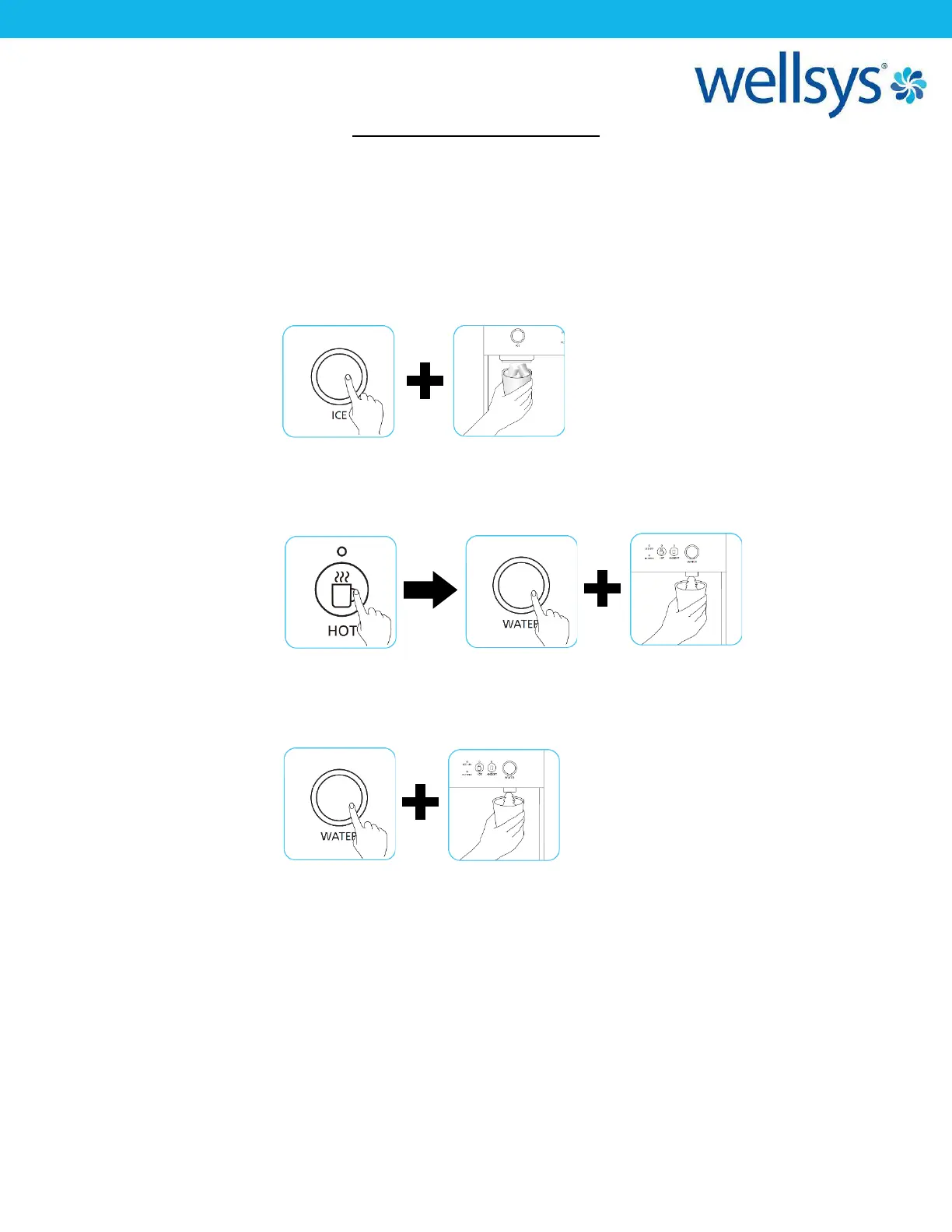
For Ice: Press the “Ice Dispense” button. While holding the button, the Ice LED
will blink, and ice will dispense. Release to end.
For Hot Water: Press the “Hot Water Select” button, then press and hold the “Water
Dispense” button, and water will begin to dispense. While holding the
button, the Water LED will blink. Release to end.
For Ambient Water: Press the and hold the “Water Dispense” button, and water will begin to
dispense. While holding the button, the Water LED will blink. Release to
end.


 To Next Page