i16 Manual Page 37 - Revision: 2-09-2023
RESETTING THE HOT TANK OVERLOAD THERMOSTAT
In the event of a “dry heat” scenario during installation, or if the water supply is blocked to the
hot tank, overload thermostats are installed on the Hot Tank to prevent an unsafe heating
situation and prevent damage to the unit. If these thermostats sense heat that is too high, they
will trip and break the power circuit to the heating element. When this happens, the Overload
Thermostat must be manually reset.
CAUTION!: Disconnect the machine from its power source before attempting the next steps.
Failure to do so could cause electrical shock.
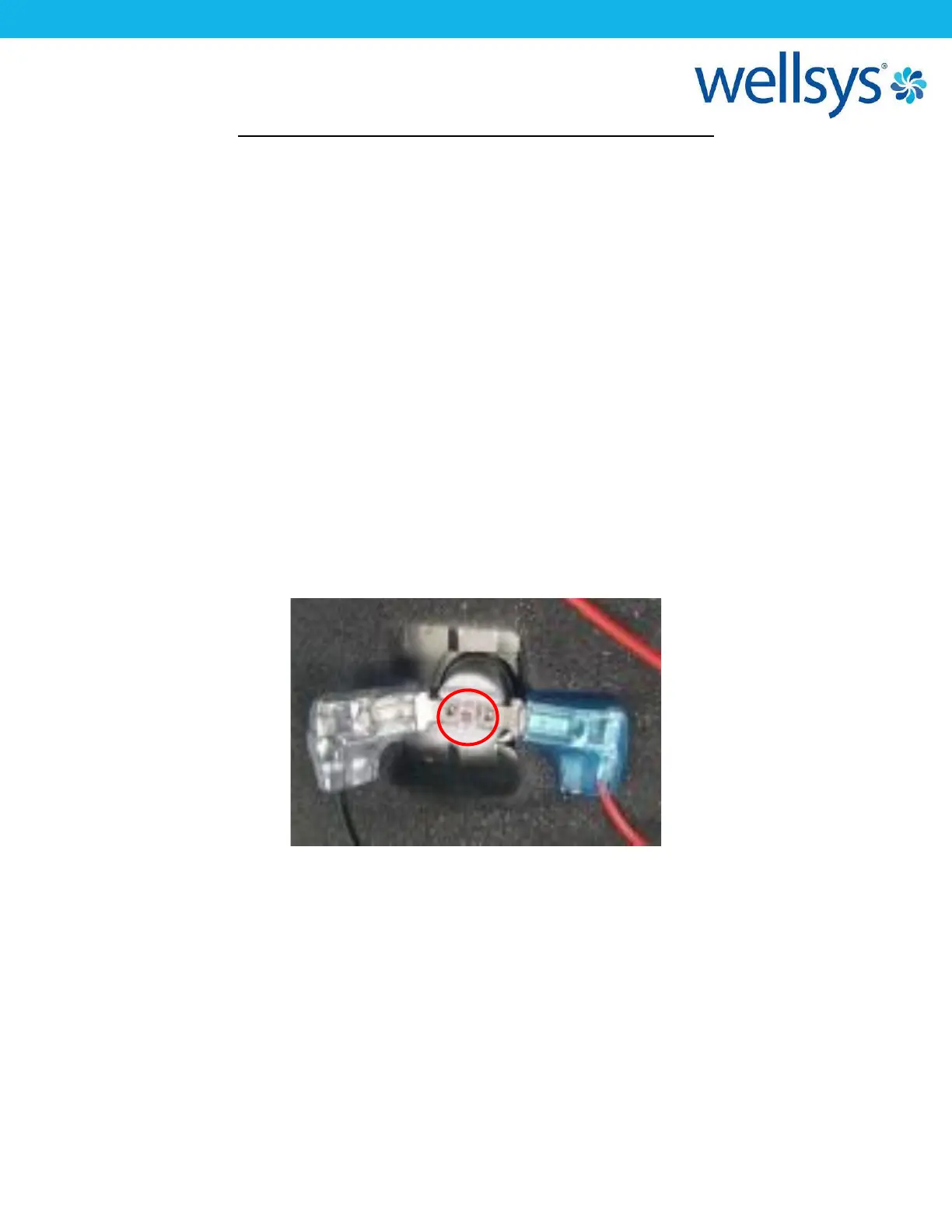
To do this, remove the upper and side panels of the unit and locate the hot tank. On the surface
of the hot tank, where a section of insulation is cut away, the overload thermostat is mounted
to the metal round of the tank. There is a small red/pink button in the center of the thermostat
that must be pressed to reset the thermostat. Doing so will restore a continuous path for power
to reach the heating element. Before doing so, ensure that water dispenses from the unit
during the hot water dispense operation. If water flows from the hot tank, the tank is primed
and full of water. Continue with resetting the thermostat. Water will begin heating, and hot
water should be available within 5-10 minutes.


 To Next Page