ATA-171/172/171P/171M (ATA-S1/S2/P/M)
User’s Guide
15
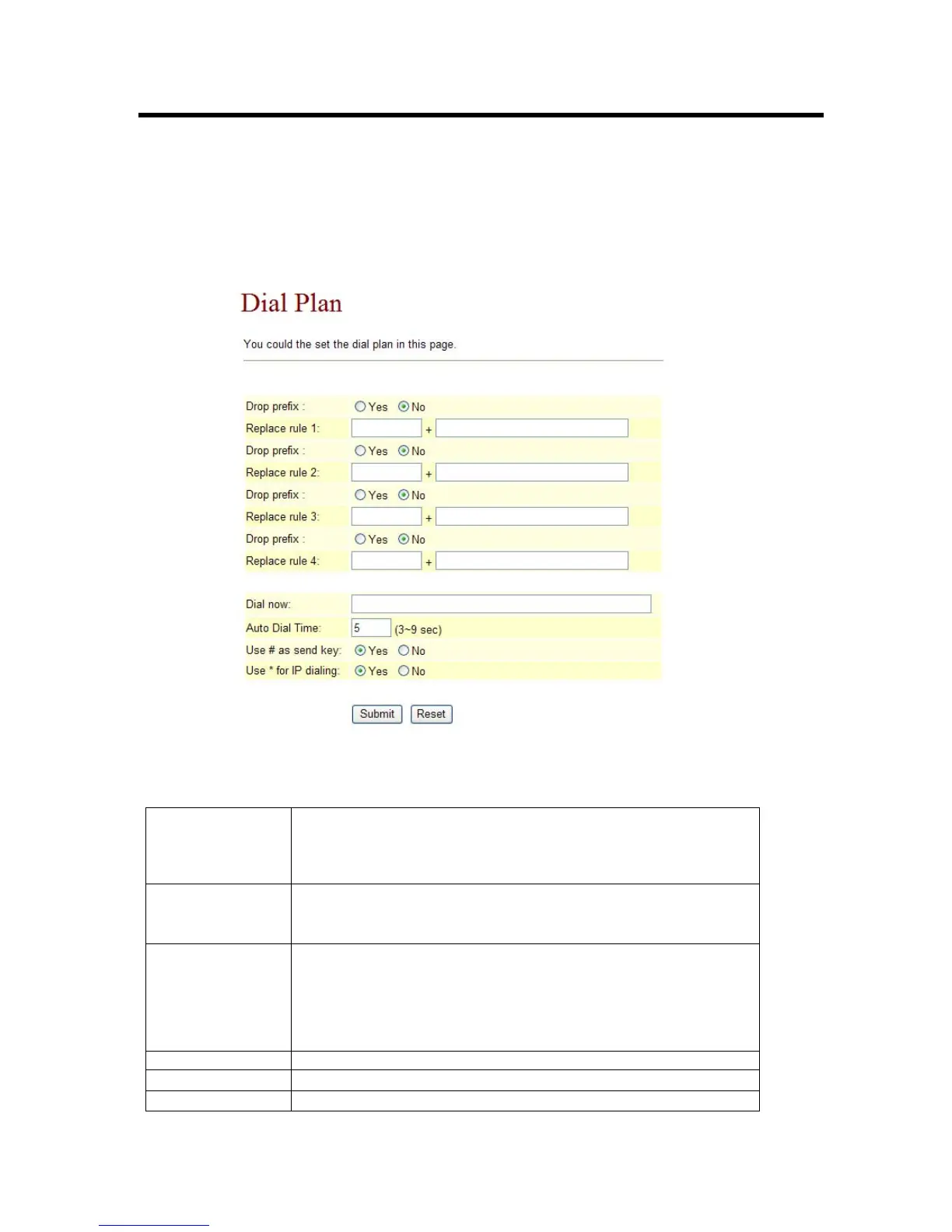
3.4.8 Dial Plan Settings function: This function is when you input the phone number by the keypad
but you don’t need to press “#”. After time out the system will dial directly. When you finished
the setting, please click the Submit button. If there is nothing need to change, please click the
Save Change Item in the left side, then click the Save button. The change you made will save
into the system and the system will Reboot automatically.
Figure 8. Auto Dial Setting
Drop Prefix - No (add number): when the rule match will direct add
number。
- Yes (reduce number): when the rule match will cut match
number then add you setting number。
Replace rule1 Setting dial number rule。
+: or。
xxx: number limit。
Dial Now (*) When there is a number that matches this field, the device will
automatically dial the number specified. However, first digit
cannot be set to 0, because the feature Dial Now is unable to
detect first digit as 0. Therefore if Dial Now is set to 0xxxx,
the system will not be able to send out this piece of
information
Auto Dial Time Wait setting time then auto dial number
Submit [Button] Save setting value。
Reset [Button] Clean all setting。



 To Next Page