ATA-171/172/171P/171M (ATA-S1/S2/P/M)
User’s Guide
48
4 Setup the ATA by using Console (Hyper Terminal)
4.1 Configure the COM port
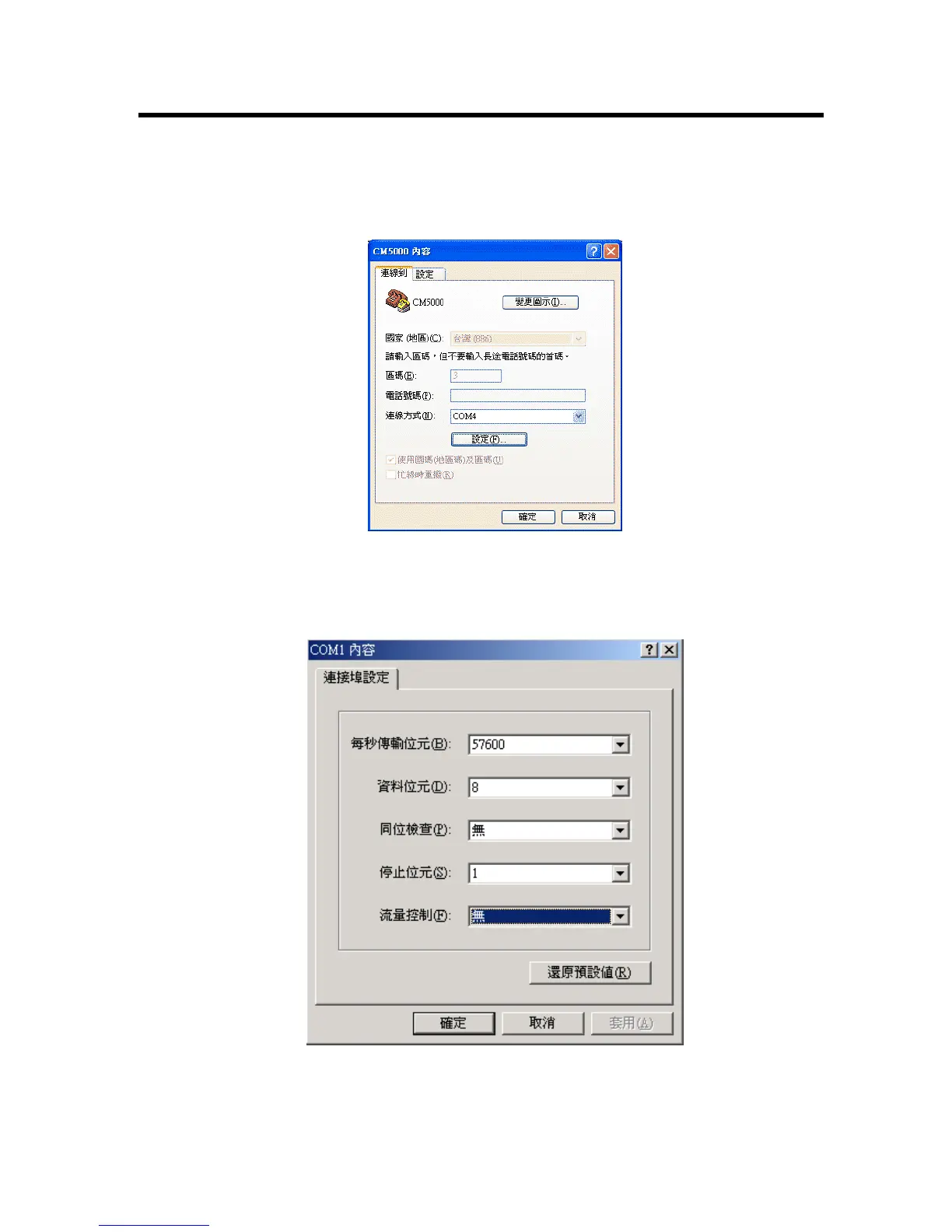
First Open the hyper terminal window, select the connection by the COM port, and then click the “Setting”
button.
Figure 23. Console Setting-1
Set the COM port’s setting as following setting. Then click OK.
Figure 24. Console Setting-2



 To Next Page