ATA-171/172/171P/171M (ATA-S1/S2/P/M)
User’s Guide
26
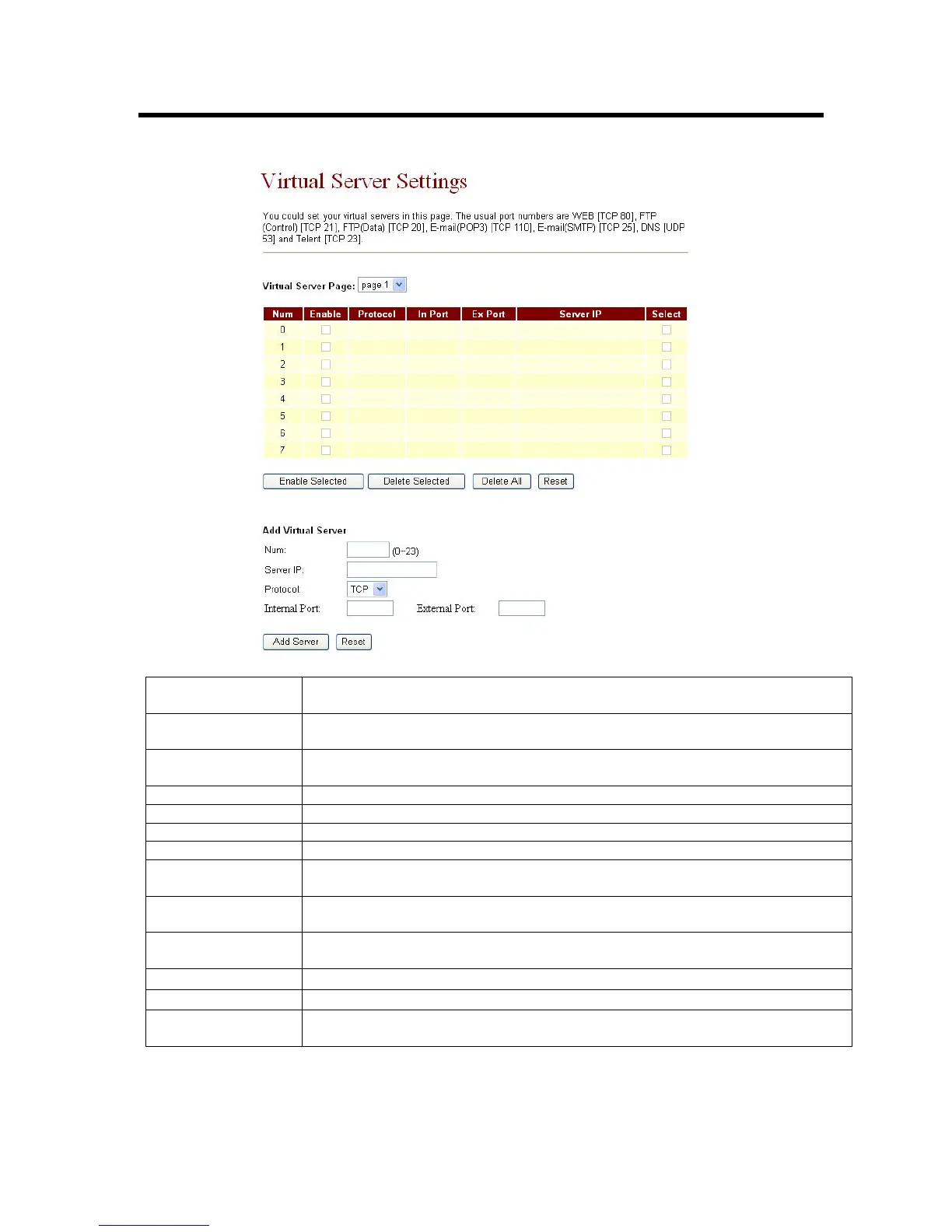
3.8 Virtual Server Setting
Virtual Server Page To browse through different pages, click on the drop down box and select
the page number you wish to view.
Num This column displays the serial numbers, ranging from 0-23. There are
24 records in total.
Enable Click on the check box to enable this option, the default option is
unchecked (disabled).
Protocol Displays the TCP and UDP port information.
In Port Displays the internal port number
Ex Port Displays the external port number
Server IP Shows the IP address of the Server
Select To select a specific Virtual Server and perform configurations, click on the
check box according to the server that you wish to configure.
Enable Selected
[Button]
Enable the selected server
Delete Selected
[Button]
Delete the selected server
Delete All [Button]
Delete all data。
Reset [Button] Clean all data。
Num [Button] Specify which record to insert the server on the table. The allowable
range is 0-23.



 To Next Page