ATA-171/172/171P/171M (ATA-S1/S2/P/M)
User’s Guide
45
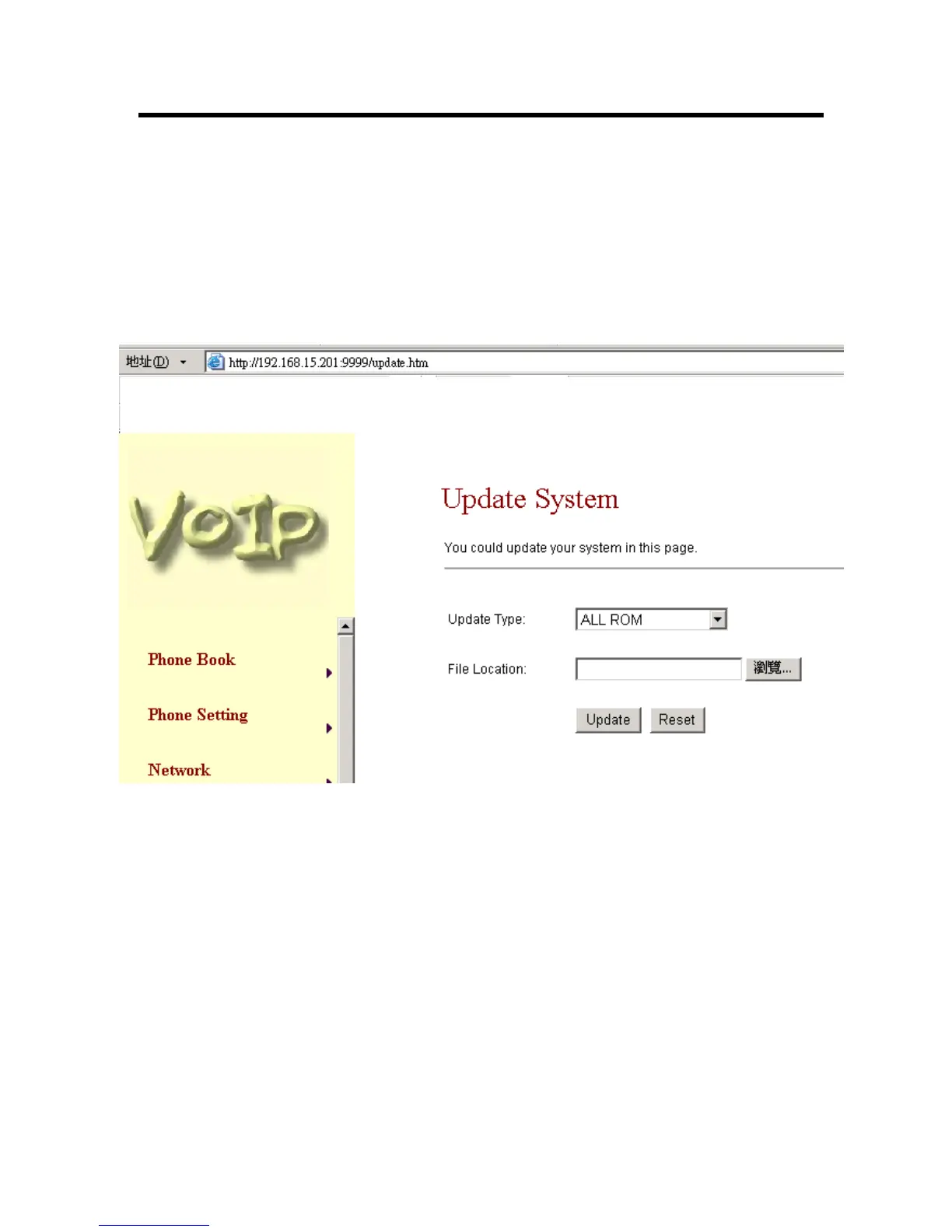
3.17 Update Rom firmware:
3.17.1 In Update you can update the ATA’s firmware to the new one or do the factory reset to let the
ATA back to default setting.
3.17.2 In New Firmware function you can update new firmware via HTTP in this page. You can
ugrade the firmware by the following steps:
-1- Select the firmware code type, ROM code.
-2- Click the “Browse” button in the right side of the File Location or you can type the correct
path and the filename in File Location blank.
-3- Select the correct file you want to download to the ATA then click the Update button.
-4- After finished the update firmware process, the system will Reboot automatically.
Figure 32. Update Firmware



 To Next Page