ATA-171/172/171P/171M (ATA-S1/S2/P/M)
User’s Guide
22
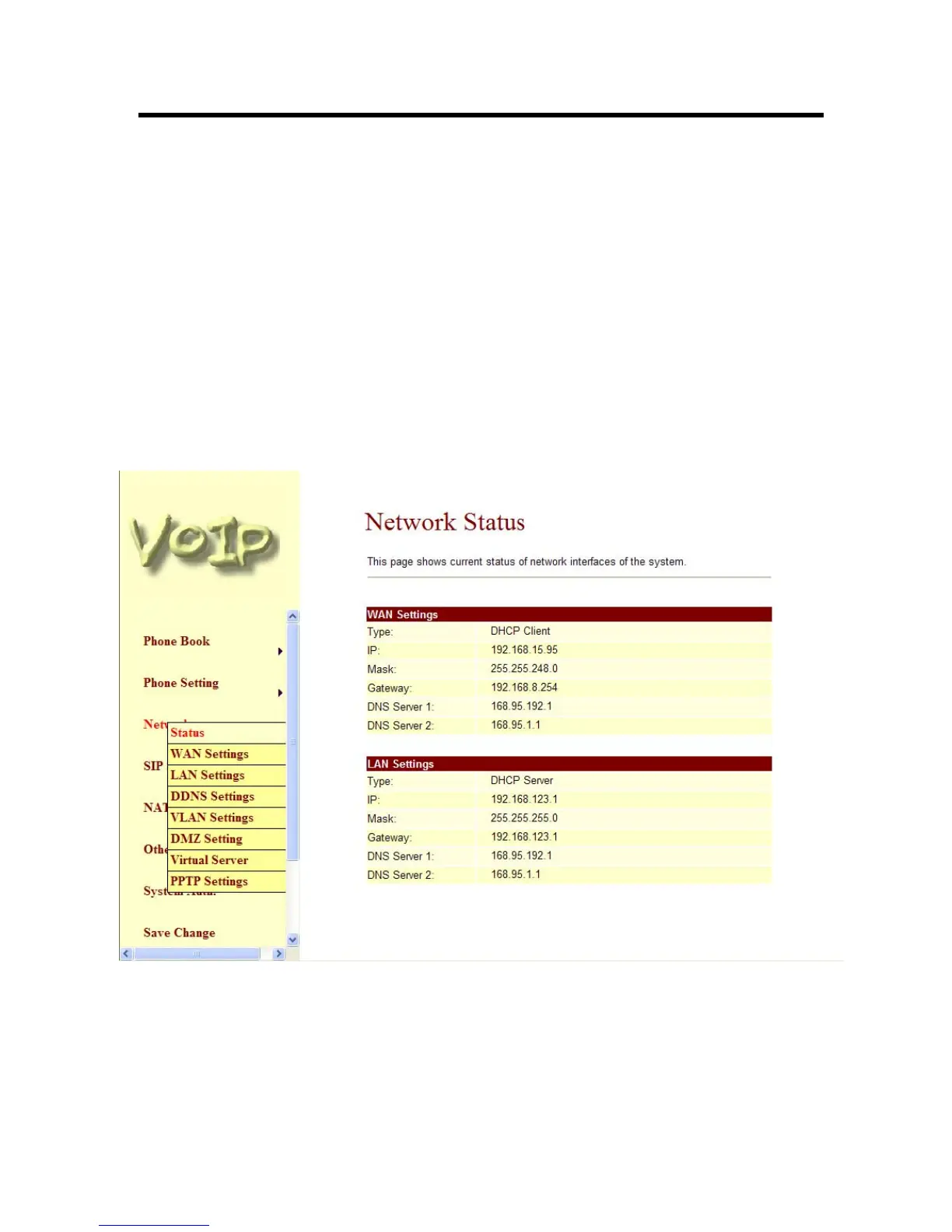
3.7.3 WAN and LAN Settings:
.
-1- If you change the WAN port’s setting to Fix IP Mode, then you have to make sure the IP
address. Net Mask, Gateway, and DNS setting is suitable in your current network
environment
-2- The WAN port is DHCP Client mode, You can change the setting to Fixed IP or PPPoE
Mode. NOTE: WAN port IP address is in DHCP mode by default, please use #126# to
hear WAN port get IP address.
-3- If you change the WAN port’s setting to PPPoE Mode, you have to input a correct
username/password to get the IP address from your Internet Service Provider..
-4- The LAN port’s default IP address is 192.168.123.1, Net Mask is 255.255.255.0., and
DHCP Server enabled. The start IP address if 150, end IP adress is 200. It is not
necessary to change the LAN settings.
-5- You can connect your PC to the LAN port, set your PC as DHCP Client mode, then you
can get IP addreess from the ATA.
-6- When you finished the setting, please click the Submit button.
-7- If there is nothing need to change, please click the Save Change Item in the left side, then
click the Save button. The change you made will save into the system and the system will
Reboot automatically.
Figure 13. Network Settings



 To Next Page