ATA-171/172/171P/171M (ATA-S1/S2/P/M)
User’s Guide
36
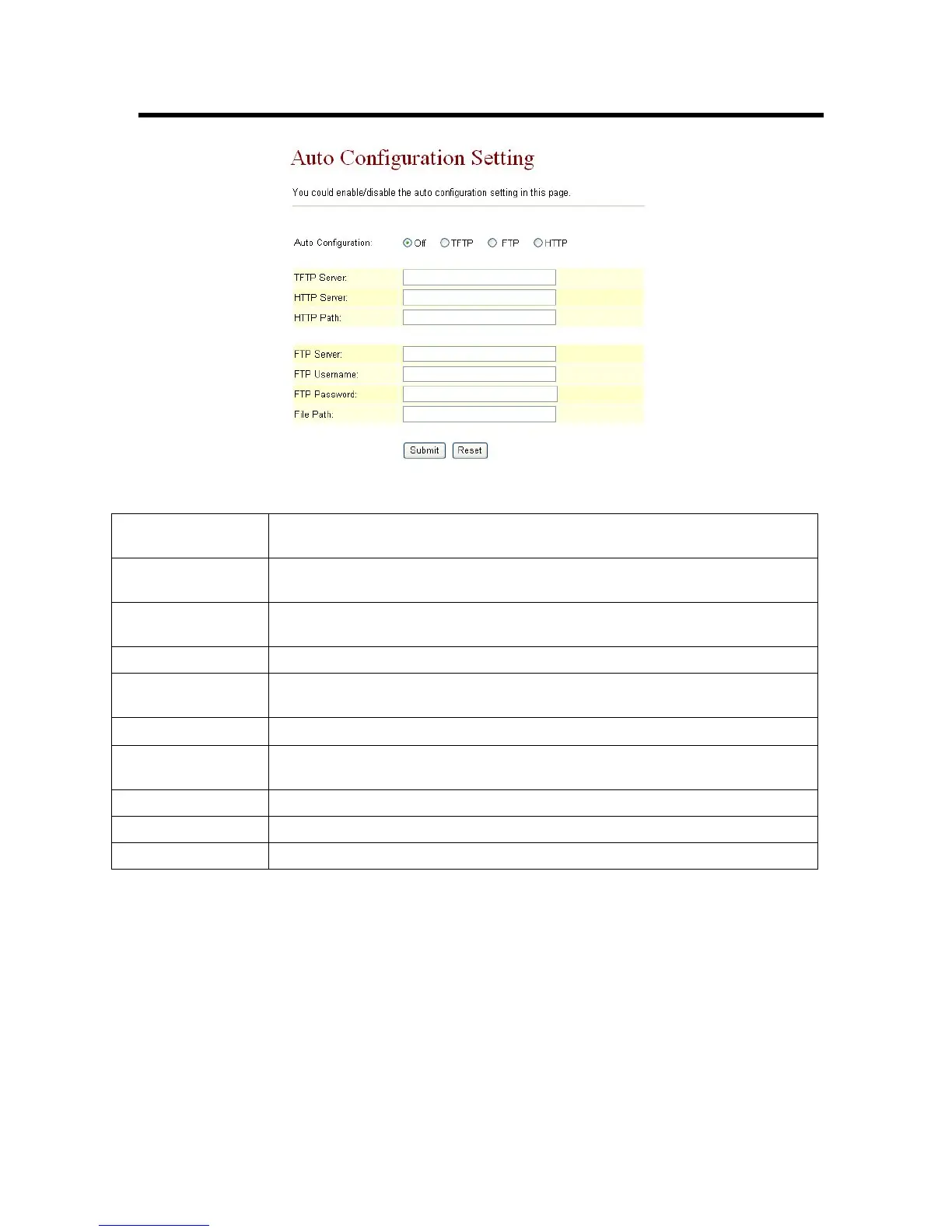
Figure 206. Auto Configuration Setting
Auto Configuration Default setting is Off (not executed). Specify the methods on how auto
configuration will be performed, the options are TFTP, FTP or HTTP.
TFTP Server Set the TFTP Server’s location, you can input IP address or Domain Name
information in this text box.
HTTP Server Set the HTTP Server’s location, you can input IP address or Domain Name
information in this text box.
HTTP Path Specify the path to store data, for e.g. /123/
FTP Server Set the FTP Server’s location, you can input IP address or Domain Name
information in this text box.
FTP Username Enter the relevant Username to log on to the FTP Server。
FTP Password Enter the relevant password associated with the inputted username to log
on to the FTP Server
File Path Specify the path to store data, for e.g. /123/
Submit [Button] Saves the configuration
Reset [Button] Erases the configuration



 To Next Page