ATA-171/172/171P/171M (ATA-S1/S2/P/M)
User’s Guide
38
3.13.6
How to produce auto Configuration file.
1: Firstly, you need to find the MAC address of the device that you want to configured,for e.g. MAC
Address: 00059e812118。
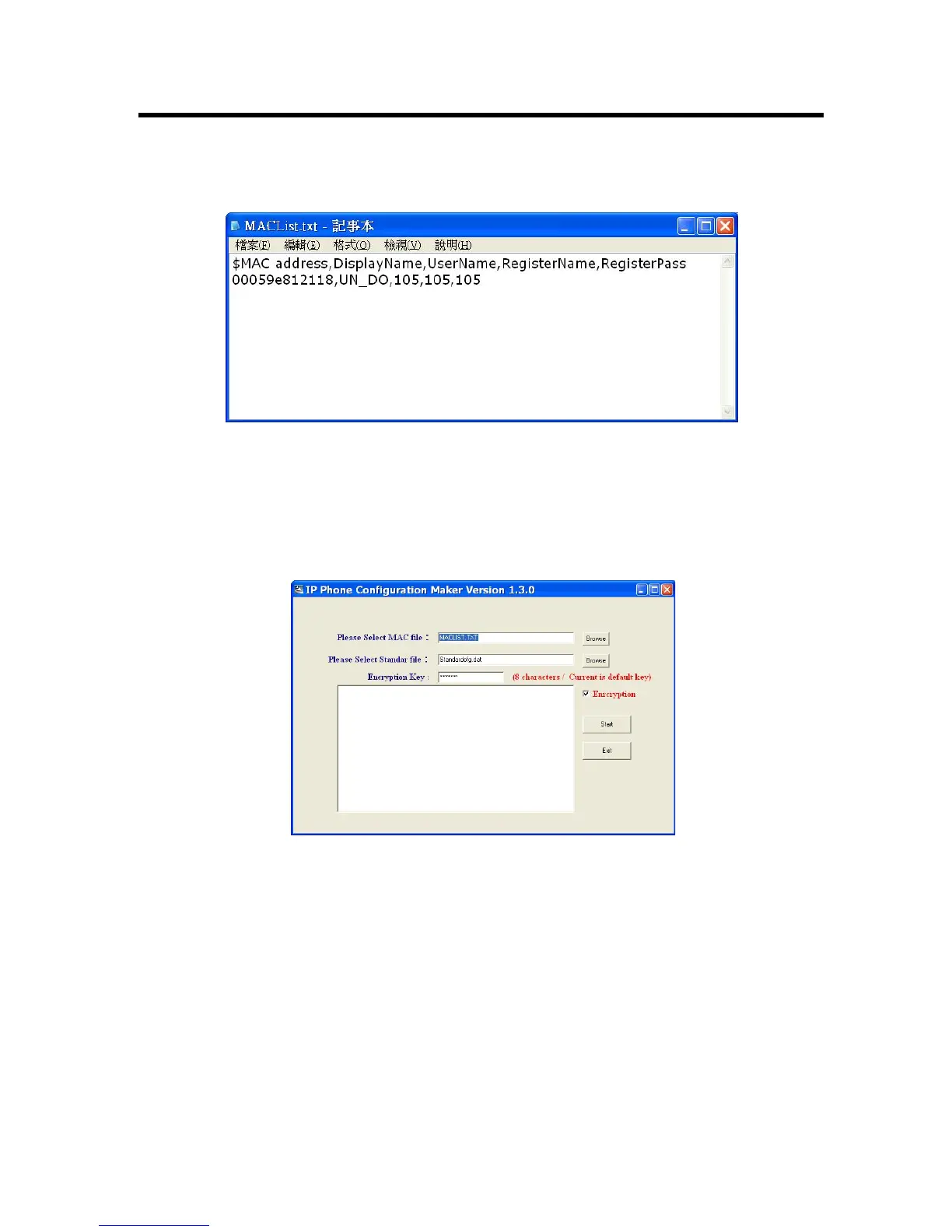
Explanation 1:open the [MACList.txt] file then enter the these information in order[MAC Address,
Display Name, User Name, Register Name, Register Pass](example :00059e812118,
UN_DO, 105, 105, 105),when completed, please save your file.
Explanation 2:open the [StandardCFG.dat] file (use Windows notepad program to open the
file),then change the configurations parameters accordingly, once finished,
please save the file。
Explanation 3:open the [MakeMACF.exe] file ,download [MAC File: MACList.txt, Standard File:
StandardCFG.dat],select [Start],then encrypt the file。
Explanation 4:the program will produce a encrypted string [00059e812118.dat] as the filename。
Explanation 5:please insert the name of the newly encrypted filename [00059e812118.dat] to
your [HTTP or FTP or TFTP Server] file path。



 To Next Page