WD ELEMENTS PLAY MULTIMEDIA DRIVE
USER MANUAL
FILE MANAGER – 22
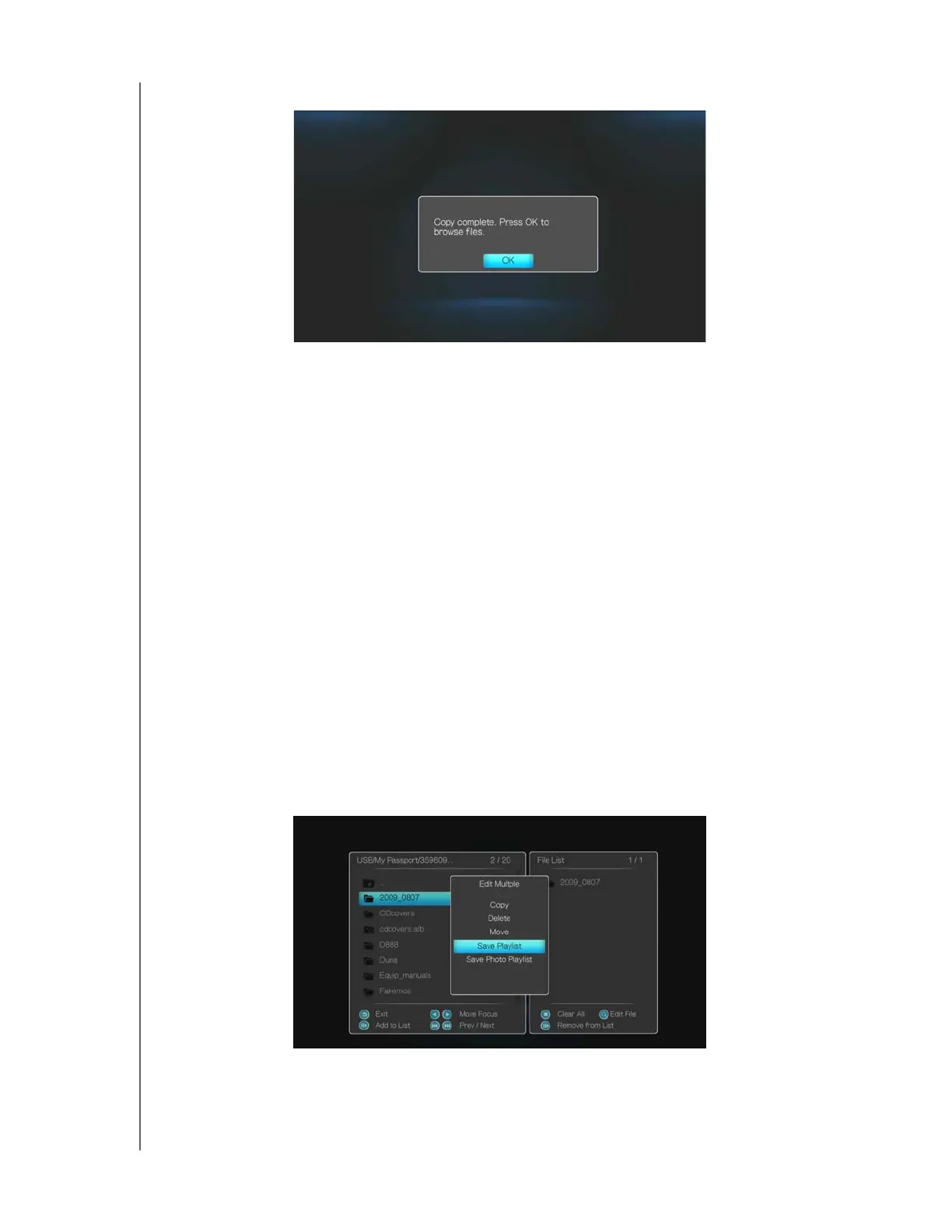
9. Press ENTER to finish the copy operation.
Moving and Deleting Files
To move a file on the multimedia drive or USB storage device, follow the steps above
for copying files, substituting Move for Copy in steps 5 and 6. The procedure is the
same for all types of media files, videos, photos or music.
To delete a file, follow steps 1-7 above, then select Yes to confirm file deletion. Press
OK.
Rename
You can rename files and folders using the Operations user interface. Follow steps 1-
4 above, select Rename, then use the on-screen keyboard to rename your files and
folders.
Save & Edit Playlist
You can save a playlist using the Edit Multiple function.
1. Follow steps 1-6 under “Copying Files” on page 20 and, in a location containing
music files, use the buttons on the remote as shown on-screen. When finished,
press SEARCH, then select Save Playlist.












 To Next Page