EASY 6000 – Issue 02 21
FAS INTERNATIONAL S.p.A. Via Lago di Vico, 60 SCHIO (VI) – tel. +39 0445 502011 – fax +39 0445 502010 - e-mail: info@fas.it
Command 55 Programming the product expiry time:
This command makes it possible to program the time, with regard to the expiry day, after which the product
will have expired. Enter the exact value in hours and minutes and press ENTER to save it.
Command 56 Acoustic warning operation option:
When this command is set at zero, the operation of the acoustic warning is excluded during machine
operation.
Command 57 Price display enable multifunction:
(if present)
To set the following option ONLY, you must press the "Programming Button" twice
consecutively, signalled by the sound of the buzzer, to access the second menu level.
The display shows "Command 00". To exit programming mode, press the button "ESC".
N.B.: if Command 57 is programmed at the first menu level, steps one, three and four will be available.
Programming at the second level is normally carried out when the kit is being installed, or whenever one of
more price displays is replaced.
Follow the indications provided in the use and maintenance manual to change the prices. Every time the
prices are changed, they are automatically updated on the display screen when the door is closed again.
Step one: the system asks for functionality to be enabled: 1 = enabled; 0 = not enabled. If the connection
between the price displays and the display control board is not broken, the door display shows the checksum
and the software version of the board; press the key “ENTER” to continue setting the other steps.
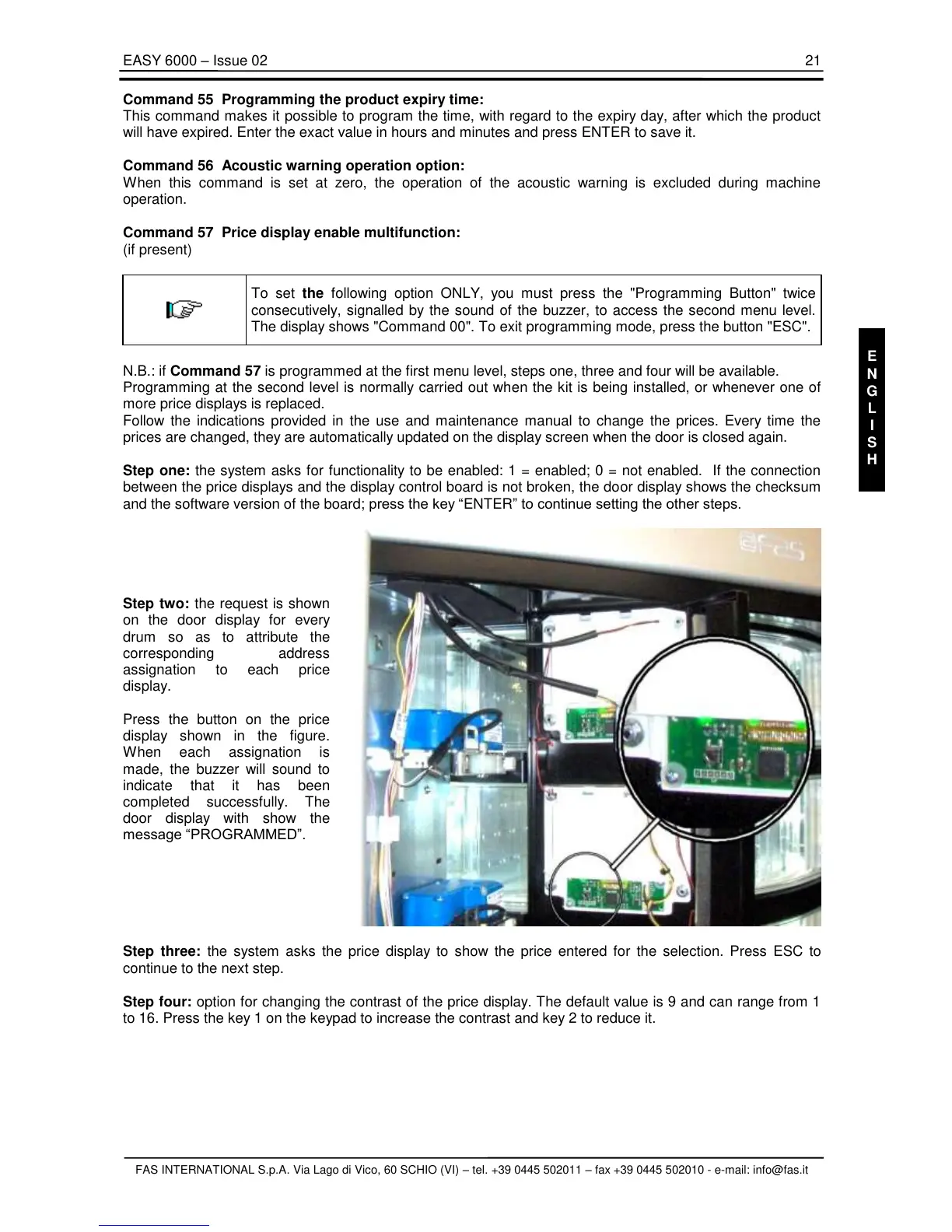
Step two: the request is shown
on the door display for every
drum so as to attribute the
corresponding address
assignation to each price
display.
Press the button on the price
display shown in the figure.
When each assignation is
made, the buzzer will sound to
indicate that it has been
completed successfully. The
door display with show the
message “PROGRAMMED”.
Step three: the system asks the price display to show the price entered for the selection. Press ESC to
continue to the next step.
Step four: option for changing the contrast of the price display. The default value is 9 and can range from 1
to 16. Press the key 1 on the keypad to increase the contrast and key 2 to reduce it.



 To Next Page