Disconnect power by turning the general switch to "off" and disconnect the feed
plug before starting the operations.
10.1 DRUM REMOVAL
To remove the drum from the drawer carry out the following procedure:
Open the main door of the vending machine and disconnect the power supply by turning the main switch to
the OFF position;
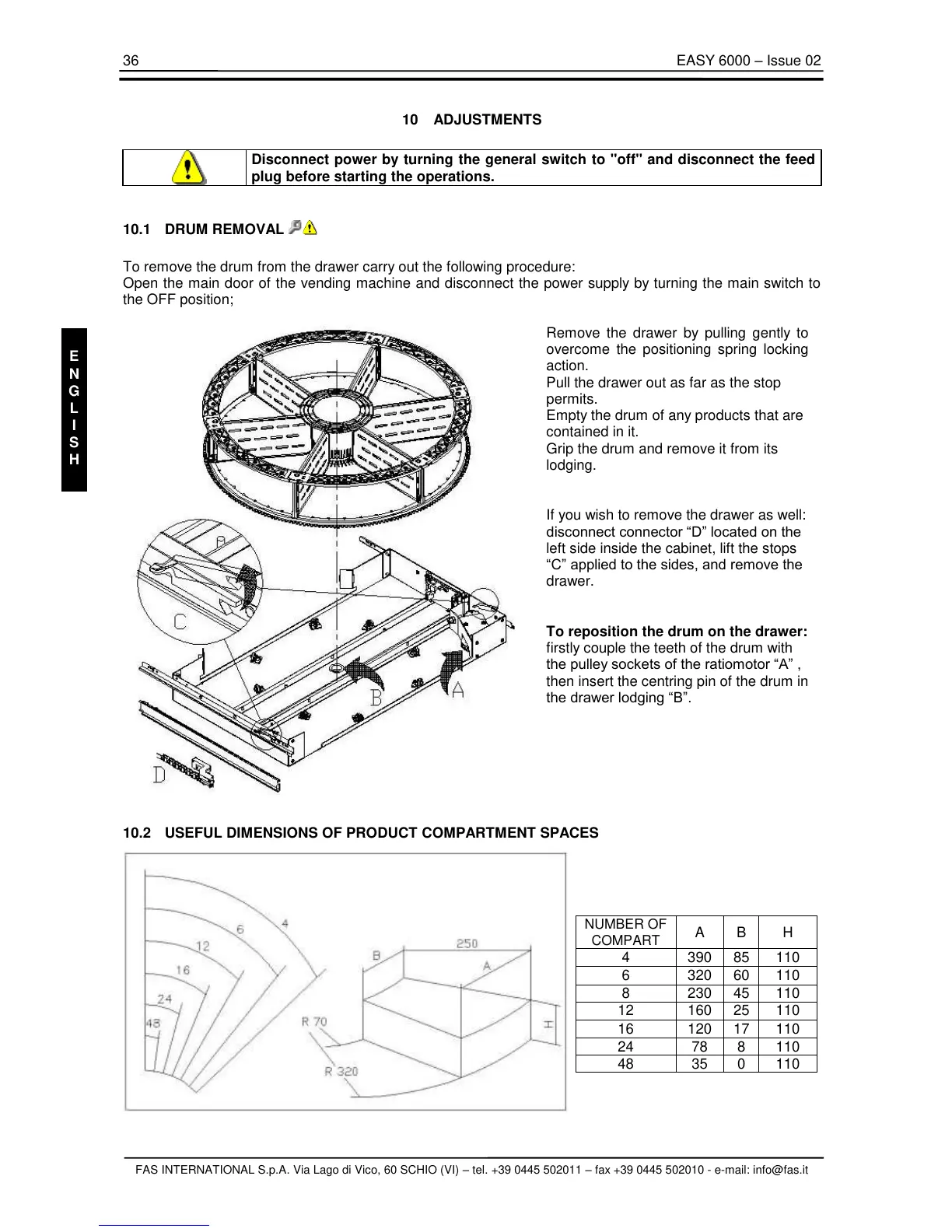
Remove the drawer by pulling gently to
overcome the positioning spring locking
action.
Pull the drawer out as far as the stop
permits.
Empty the drum of any products that are
contained in it.
Grip the drum and remove it from its
lodging.
If you wish to remove the drawer as well:
disconnect connector “D” located on the
left side inside the cabinet, lift the stops
“C” applied to the sides, and remove the
drawer.
To reposition the drum on the drawer:
firstly couple the teeth of the drum with
the pulley sockets of the ratiomotor “A” ,
then insert the centring pin of the drum in
the drawer lodging “B”.



 To Next Page