15
Removing the Door Switch
Replacing the Drum Lamp
1. Open dryer door. Remove the drum lamp cover screws. (Fig. 17)
2. Lift and slide off the drum lamp cover.
3. Tip the light socket forward and remove the bulb. (Fig. 18)
4. Put new bulb into place.
5. Slide drum light cover back into place. Reinstall the drum light cover screw. Close dryer door.
Removing the Toe Panel
1. Using a blade screwdriver, locate and release the two toe panel clips, approximately 4” in from
each side. (Fig. 19)
2. Pull toe panel off and set finished side up.
Fig. 19
Fig. 18Fig. 17
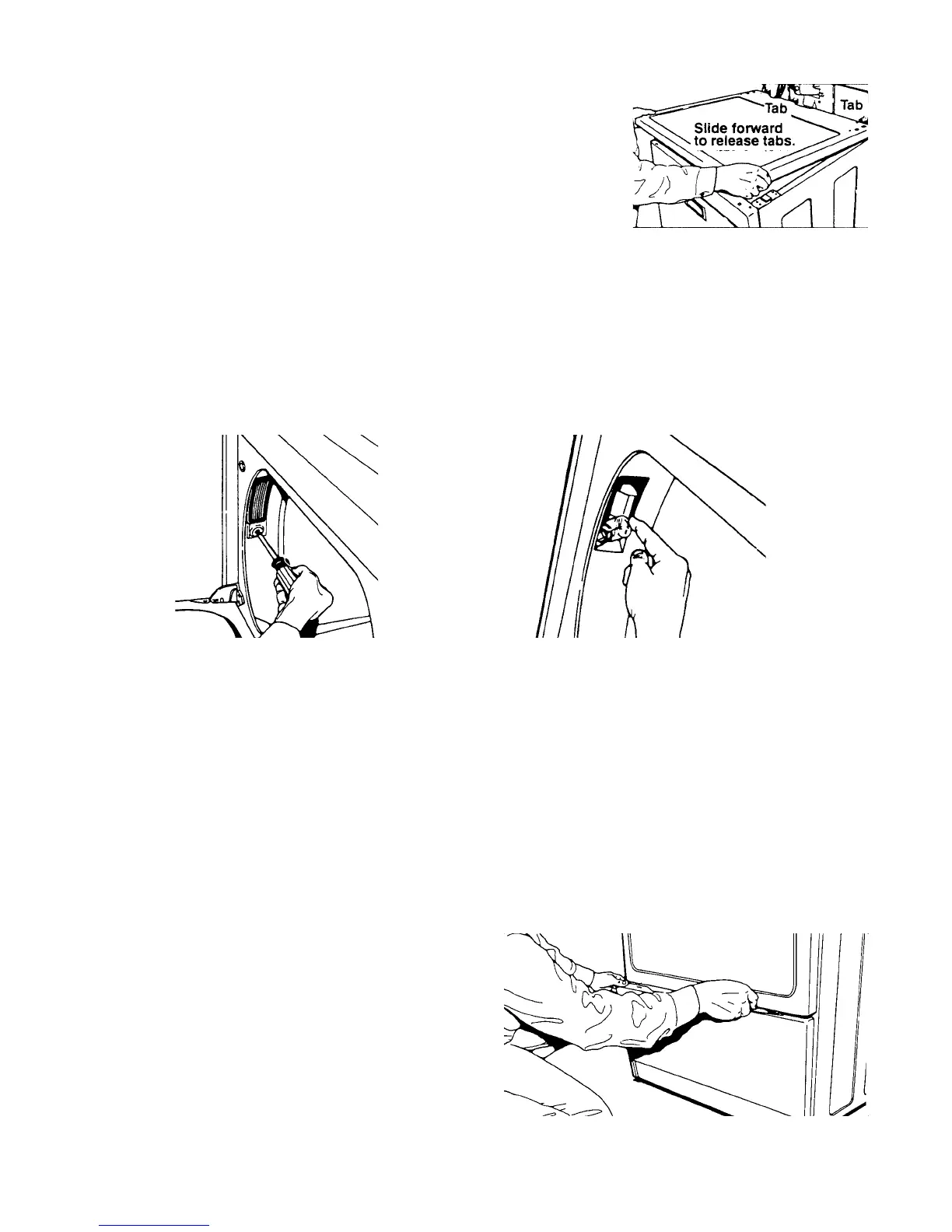
Fig. 16
1. Remove the dryer top.
2. Open the dryer door and remove the two (2) screws securing the door switch to the front
panel.
3. Disconnect the wiring harness connectors from the door switch terminals.
4. Remove the door switch assembly.
5. Slide top across dryer so that rear is under back
brackets and front fits into front clips.
6. Reinstall three dryer top screws.
7. Close console.
8. Reinstall the two console screws.




 To Next Page