For Service Technician Use Only
DIAGNOSTICS & TROUBLESHOOTING
Whirlpool
®
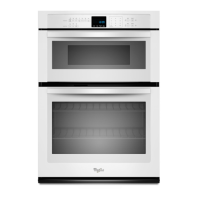
Smart Wall Ovens
n
2-5
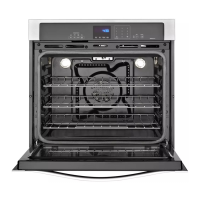
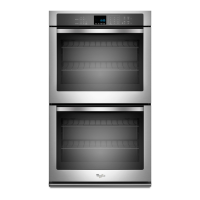
Single & Double Oven Model
System
Display Single
Oven
Double
Oven
Model # Model Informaon о о
Serial # Product Serial Number о о
UI Serial # User Interface Serial Number о о
ACU Serial # Appliance Control Unit Serial
Number
о NA
Upper ACU
Serial #
Upper Appliance Control Unit
Serial Number
NA о
Lower ACU
Serial #
Lower Appliance Control Unit
Serial Number
NA о
UI Version User Interface Soware
Version
о о
ACU SW Appliance Control Unit
Soware Version
о NA
Upper ACU
SW
Upper Appliance Control Unit
Soware Version
NA о
Lower ACU
SW
Lower Appliance Control Unit
Soware Version
NA о
Diagnoscs
Entries
Number of mes Diagnosc
Menu has been entered
о о
Oven
Display
Model # Model Informaon
Serial # Product Serial Number
UI Serial # User Interface Serial Number
Oven ACU Serial # Appliance Control Unit Serial Number
UI Version User Interface Soware Version
Oven ACU SW Oven Appliance Control Unit Soware
Version
MWO ACU SW Microwave Oven Appliance Control Unit
Soware Version
Diagnoscs Entries Number of mes Diagnosc Menu has
been entered
General Procedure: Model Selection
NOTE: When a new User Interface is installed, you will be
prompted to select a new model number upon power up. To
change the model number on an exisng UI, follow the steps
below:
1. Plug in microwave oven or connect power.
2. Enter Diagnoscs mode.
3. Touch or scroll to “System Informaon” in the Diagnoscs
menu, then touch “OK”.
4. Touch or scroll to “Model Number,” then touch “OK”.
5. Touch or scroll to the correct model number in the list, then
touch “Select”.
Failure/Error Display Codes
Code Description Explanation and Recommended Procedure
User
Interface
(UI) not
to touch
HMI-Central/UI
board Control Panel
Assembly
NOTE: Before starng any test, cycle power to the oven (power o, wait 10 seconds, and power
on).
1. Enter the Diagnosc menu, and then touch POWER.
2. To reset Touch Calibraon: Unplug the oven or disconnect power, wait 10 seconds, and then
plug in the oven or reconnect power. If sll no response, go to Step 3.
3. Unplug the oven or disconnect power.
4. Replace HMI-Central/UI board Control Panel Assembly.
5. Reassemble all parts and panels before operang.
6. Plug in the oven or reconnect power and follow the on-screen prompts for a model
selecon.
7. Verify operaon is normal.





 To Next Page