WI-PMS310GF-Alien-I QSG Page 12 of 21
8.3 DHCP IP Address
These instructions are to configure the device to obtain its network
configuration (IP address, subnet mask, gateway address) from a DHCP
server on the same LAN.
After this has been done, consult the DHCP server’s list of leases to learn the
IP address of the device.
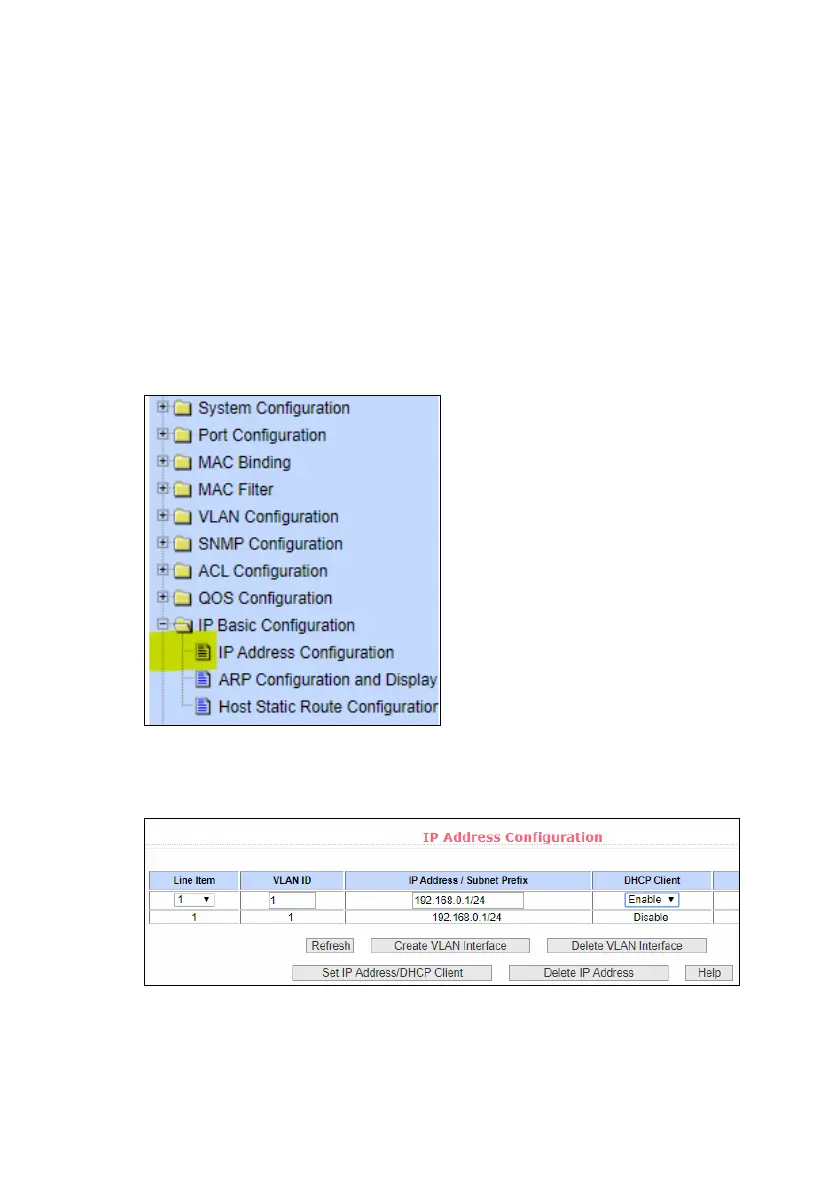
1. Select the IP Basic Configuration / IP Address Configuration
menu selection.
2. Set Line Item to 1
Set DHCP Client to Enable
Click Set IP Address/DHCP Client
3. The Switch will now query the LAN DHCP server and move to a new
IP address. Consult the DHCP server’s list of leases to learn the new
IP address of the Switch.



 To Next Page