WI-PMS310GF-Alien-I QSG Page 5 of 21
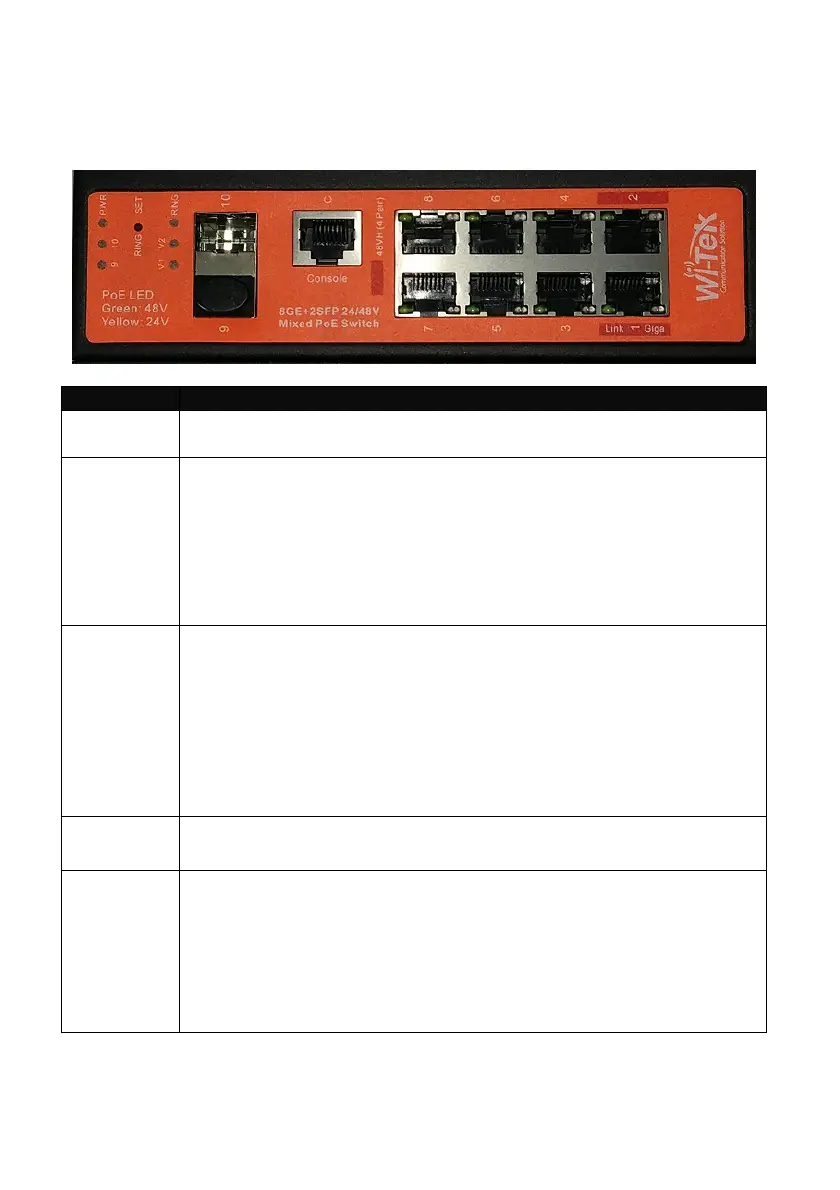
5. Front Panel
Port Description
Note
Active PoE means that PoE voltage is applied only if a device is
connected.
RJ45 1-2 LAN: 100/1000 bps Ethernet connection
POE: Out. 4-Pair, Pins 1,2,4,5(+) 3,6,7,8 (-)
Software selectable:
• Off
• 48 V Active 802.3at+ 30 W max
• 48 V Active 803.3bt 60 W max
• Auto Active, Auto selection Off/48V PoE
RJ45 3-8 LAN: 100/1000 bps Ethernet connection
POE: Out. 2-Pair, Pins 4,5(+) 7,8 (-)
Software selectable:
• Off
• 24 V Active
• 48 V Active 802.3af 15 W max
• 48 V Active 803.3at 30 W max
• Auto Active, Auto selection Off/24/48V PoE
SFP 9-10 Hot-swappable Small Form-factor Pluggable (SFP) ports
supporting 1 Gbps connections.
Console This port is compatible with Cisco part number 72-3383-01
(Console Cable). The serial settings are:
Baud rate: 38400
Data bits: 8
Stop bits: 1
Parity: None
Flow control: None



 To Next Page