WI-PMS310GF-Alien-I QSG Page 16 of 21
cmd = enable { permit .* }
cmd = show { permit .* }
cmd = ping { permit .* }
}
user = admin {
member = admins
pap = des tColoimj9QXZc
chap = cleartext admin
enable = des tColoimj9QXZc
}
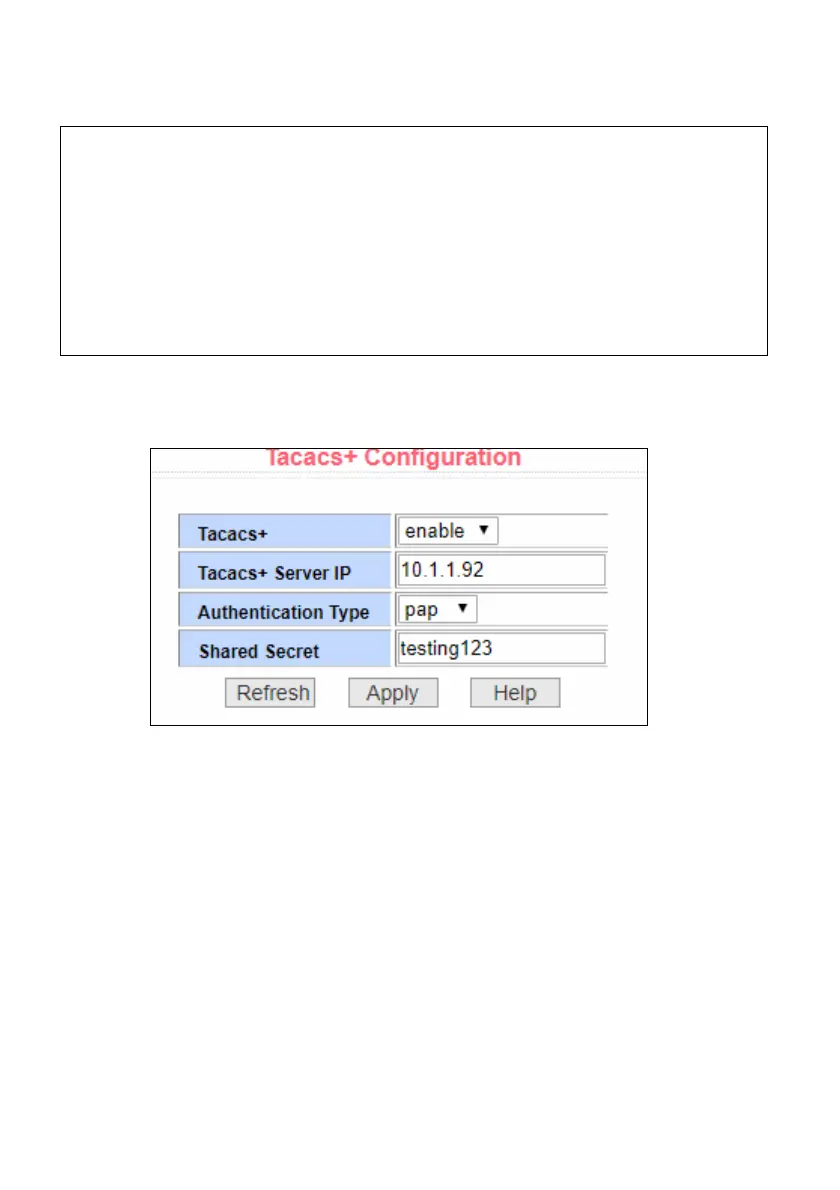
2. Select the AAA Configuration / Tacacs+ Configuration menu
option and setup similar to as below and click Apply.
3. In a new browser window, go to the URL of your switch and confirm
you can still login.
If OK: Then select the System Configuration / Save Current
Configuration menu option and click Save.
Otherwise: Resolve the TACACS+ problem.



 To Next Page