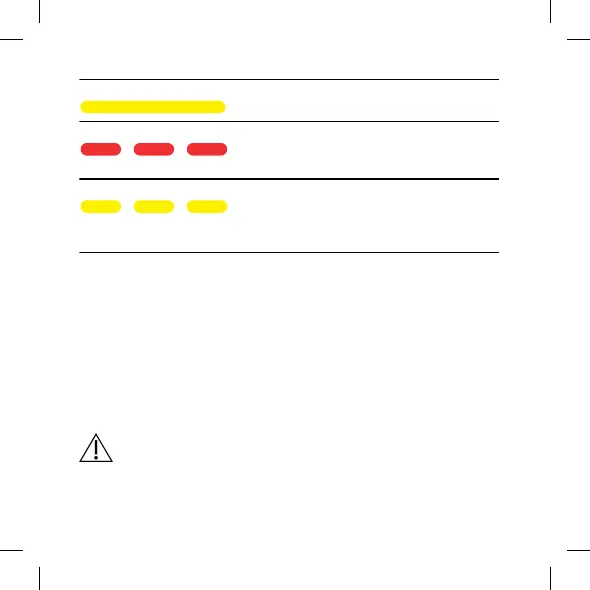
Indicator lights Status
Solid yellow The maintenance cycle is paused
but the charging cycle continues.
Flashing red An error occurred during the main-
tenance and the cycle has stopped.
See Troubleshooting.
Flashing yellow The maintenance cycle is paused
due to overheating (fan still run-
ning).
See Troubleshooting.
Cleaning
The charger does not generally require cleaning. If necessary, carefully
wipe off the charger with a soft dry cloth.
If you notice any dust in the charging well, gently blow it clean. If this is
not enough, gently clean the charging well with a cotton bud.
To remove earwax from the charger, carefully wipe with a soft cloth with
a bit of mild household detergent.
Never use sharp/pointy objects to clean the charger.
16



 To Next Page