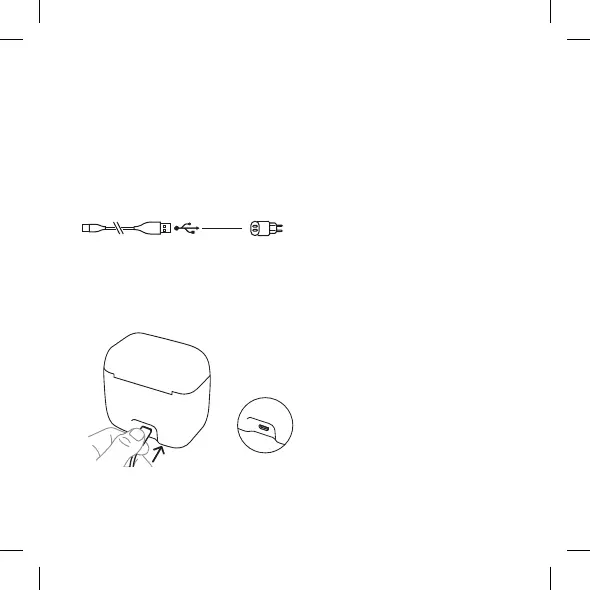
Power your charger using the included power supply. Use only the inclu-
ded cable and power supply.
7
OPERATING THE CHARGER
Power supply
For optimal operation, connect your charger to the mains and use only the
included cable and power supply.
Check that your USB port is at
least compatible with USB 2.0.
If it is not, the device (charging
and maintenance) will not work.
USB 2.0
Logo
Connect the cable to the charger:
1. Micro USB port
1



 To Next Page