Operating and Indicating Elements Chapter 4
30.08.19 Working Instructions WIDOS 4600 Page 18 of 32
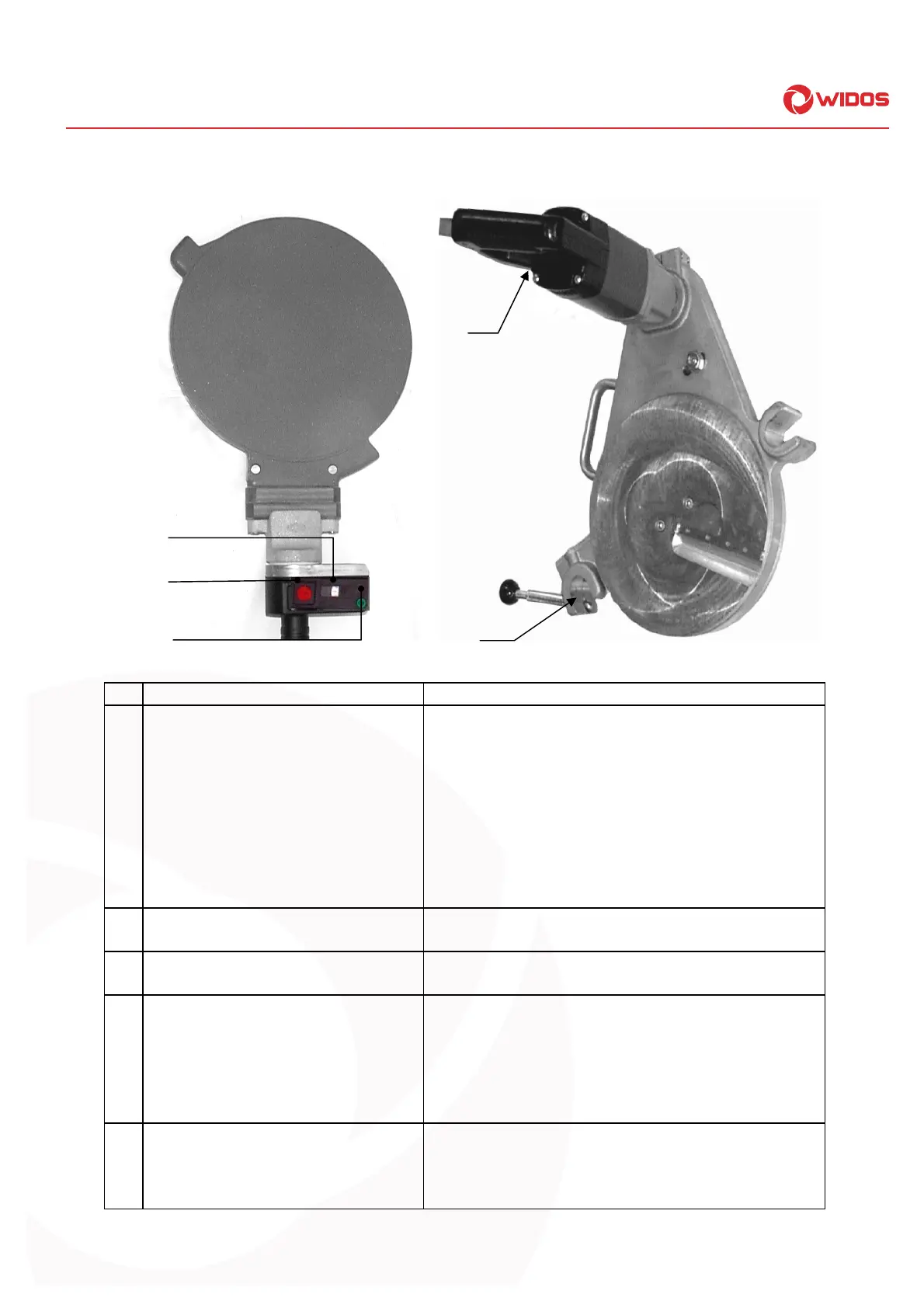
4.4. Elements at heating element and planer
No. Denomination Function
10 Control lamp green - There are three different states:
off: signalizes that the heating element is not
heated up at the moment or that it cools down
blinking: the heating element temperature is
maintained by a certain pulse-position ratio
on: signalizes that the heating element is heated up at
the moment. It has not yet reached the desired
temperature
11 Setting screw - For regulating the temperature of the heating
element
12 On/off-switch with red lamp - As soon as the heating element is switched on,
the red control lamp lightens
13 Locking lever with protection switch - Protection against unintended running of the
planer
- Protection of the planer against jumping out of the
machine
- Planing is only possible if the security micro
switch is pressed
14 On/off-switch for planer - The planer can be switched on with the switch
and the associated fixing knob.
- The planer has to be switched off before and
after each use.
14
13
10
11
12



 To Next Page