10
3. Attach the battery cover (see Attach the battery cover).
Format an SD card
When you insert an optional SD card for the first time, it is recommended that you format it on
your phone. When formatting an SD card, you should back up your music and photo files that
are stored on the card as formatting the SD card deletes all the stored data.
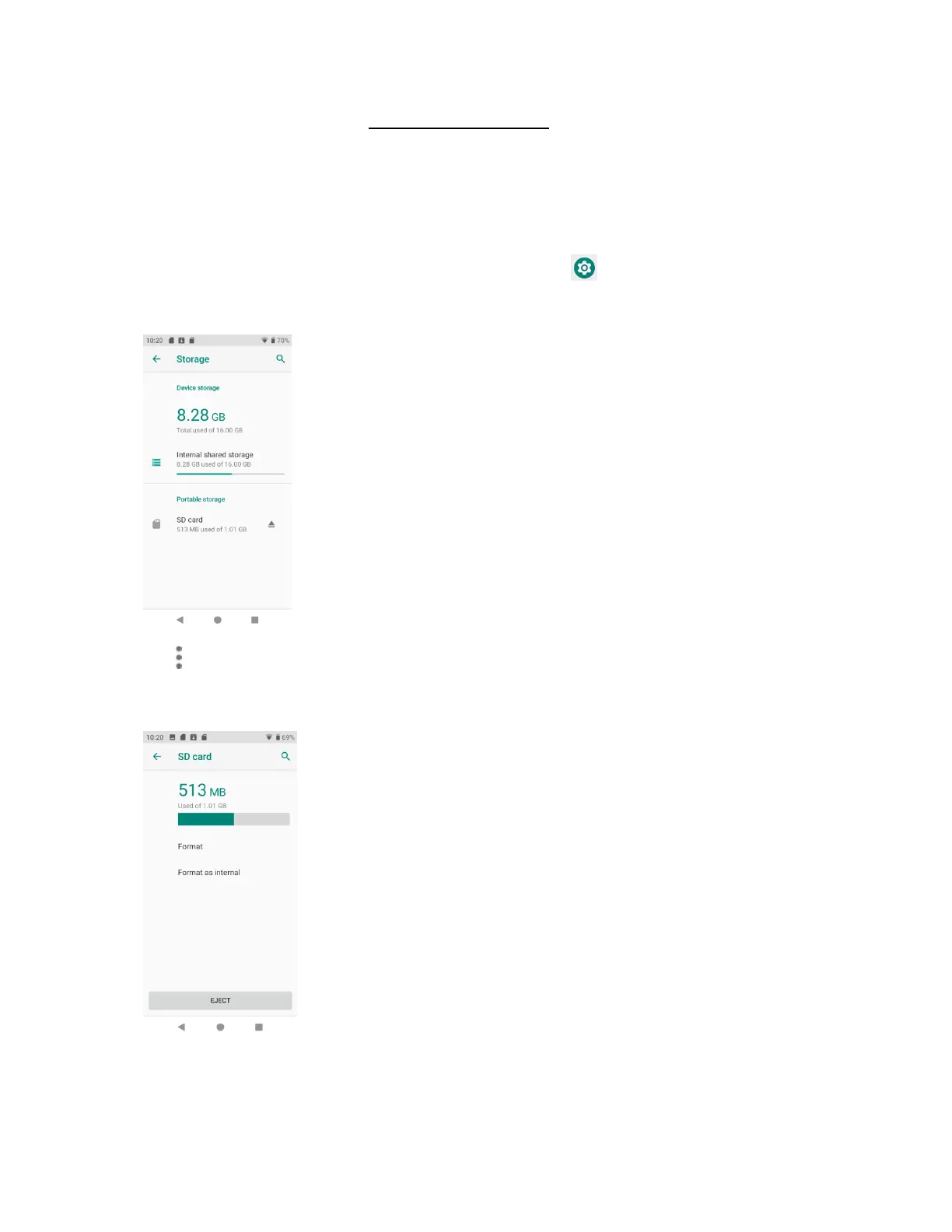
1. From home, swipe up to access Apps, and tap Settings .
2. Tap Storage > SD card.
3. Tap to access options menu, and tap Storage settings.
4. Select Format or Format as internal, and then tap FORMAT SD CARD to confirm.
All data on the SD card is erased, and the card is formatted for use on your phone.


 To Next Page