58
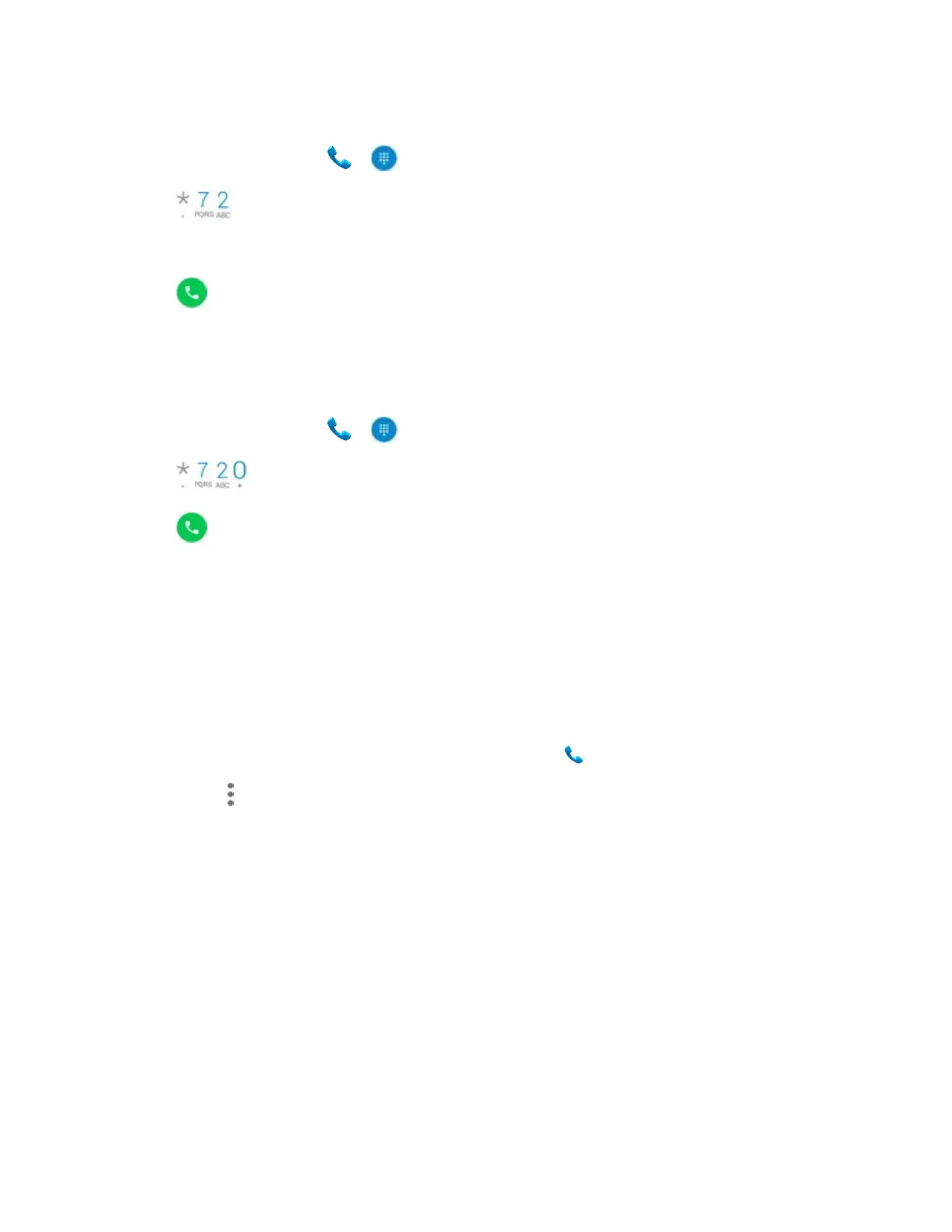
To activate Call Forwarding:
1. From home, tap Phone > .
2. Tap .
3. Enter the area code and phone number to which you want your calls forwarded.
4. Tap .
You will hear a tone to confirm the activation of Call Forwarding. All calls to your wireless
number will be forwarded to the designated phone number.
To deactivate Call Forwarding:
1. From home, tap Phone > .
2. Tap .
3. Tap .
You will hear a tone to confirm the deactivation.
Call settings
Your phone’s settings menu lets you configure your voicemail options and a number of other
settings for the phone application.
Call settings options
1. From home, swipe up to access Apps, and tap Phone .
2. Tap Menu > Settings.
3. Configure your options.
• Tap a menu item to display its options.
• Select your options and follow the prompts to set them.
Use the Settings menu to adjust the following settings:


 To Next Page