75
Gmail
Use Google’s Gmail service and your Google Account to send, receive, and manage your
Gmail messages. Before using Gmail, you must register a Google (Gmail) Account on your
phone. See Google Account for details.
Gmail cautions
Gmail is handled as email from a PC. Restricting email from PCs on your phone prevents
your phone from receiving Gmail.
Create and send a Gmail message
Use your phone to create and send Gmail messages.
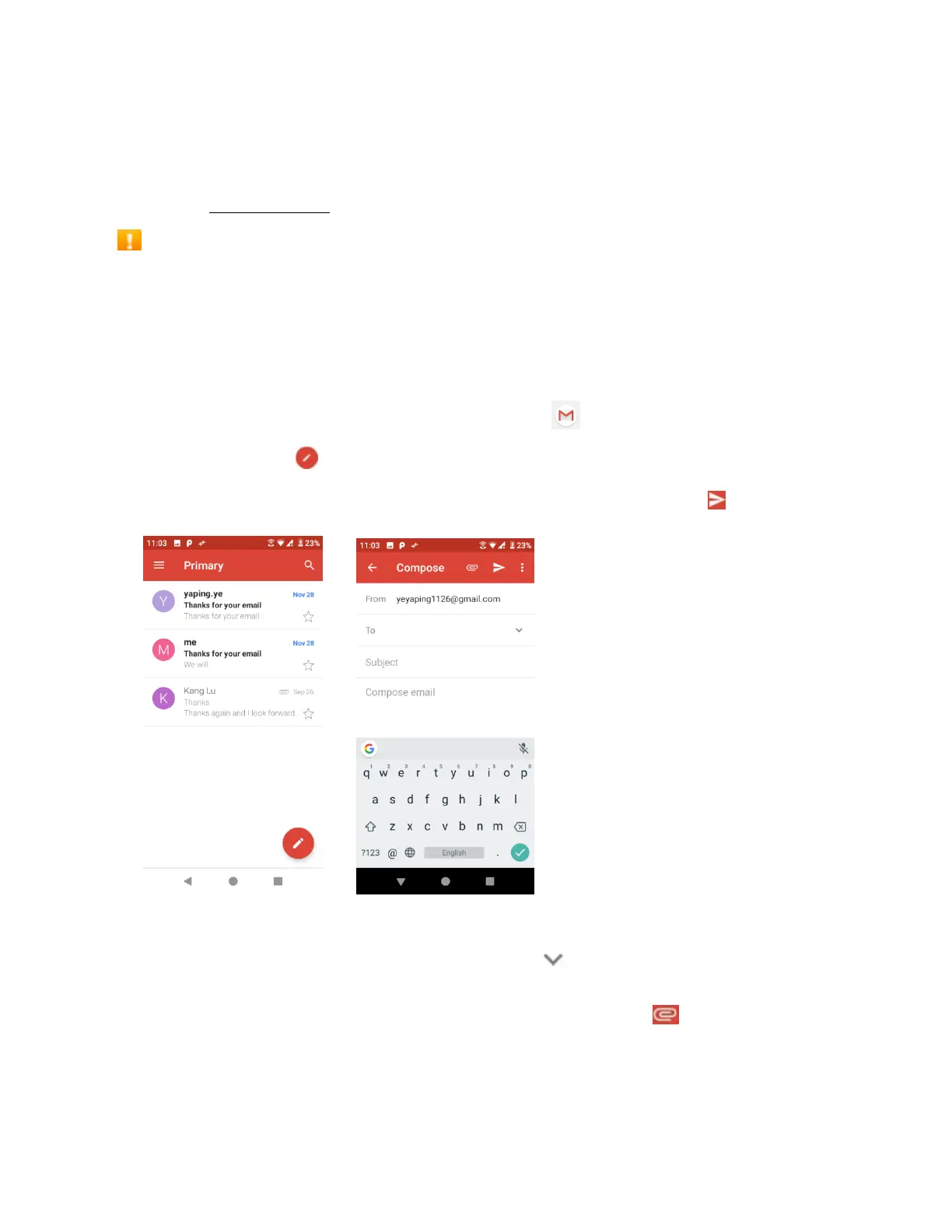
1. From home, swipe up to access Apps, and tap Gmail .
2. From the inbox, tap to compose a new Gmail message.
3. Enter the message recipient(s), subject, and message, and then tap Send .
Gmail composition options
• Adding Cc/Bcc: In the mail composition window, tap near To bar, and then add
recipients.
• Attaching pictures or videos: In the mail composition window, tap > Attach file.
Locate and then tap the picture or video you want to attach.


 To Next Page