30
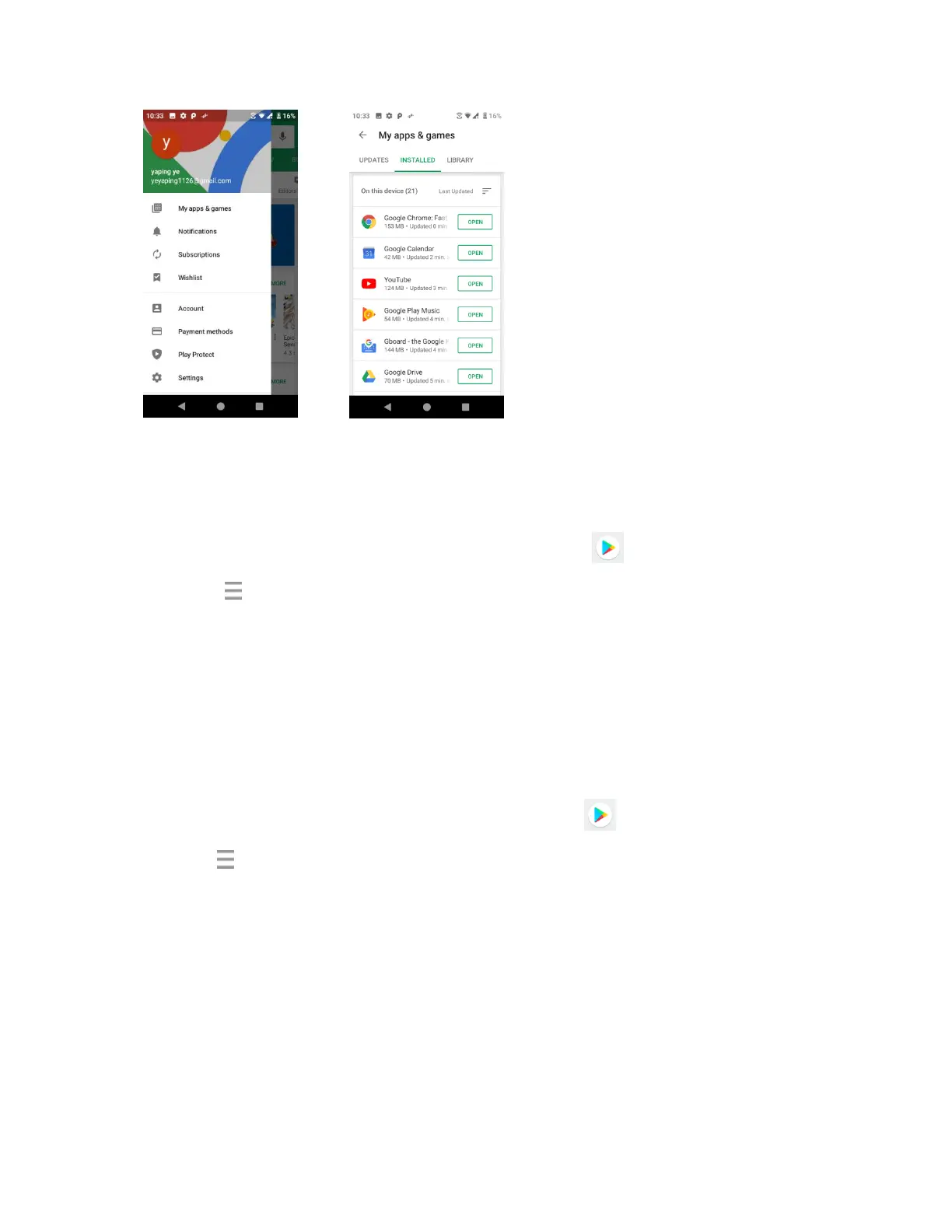
3. Tap the app you want to update, and then tap Update > Accept.
The app update is downloaded and installed.
Set Automatic App Updates
1. From home, swipe up to access Apps, and tap Play Store .
2. Tap Menu > Settings.
3. Tap the app you want to set for auto-update, and then tap Auto-update.
The app is set to update automatically whenever an update becomes available.
Note: Automatic updates are unavailable for some apps.
Uninstall an app
You can uninstall any app that you have downloaded and installed from Google Play.
1. From home, swipe up to access Apps, and tap Play Store .
2. Tap Menu > My apps & games.


 To Next Page