77
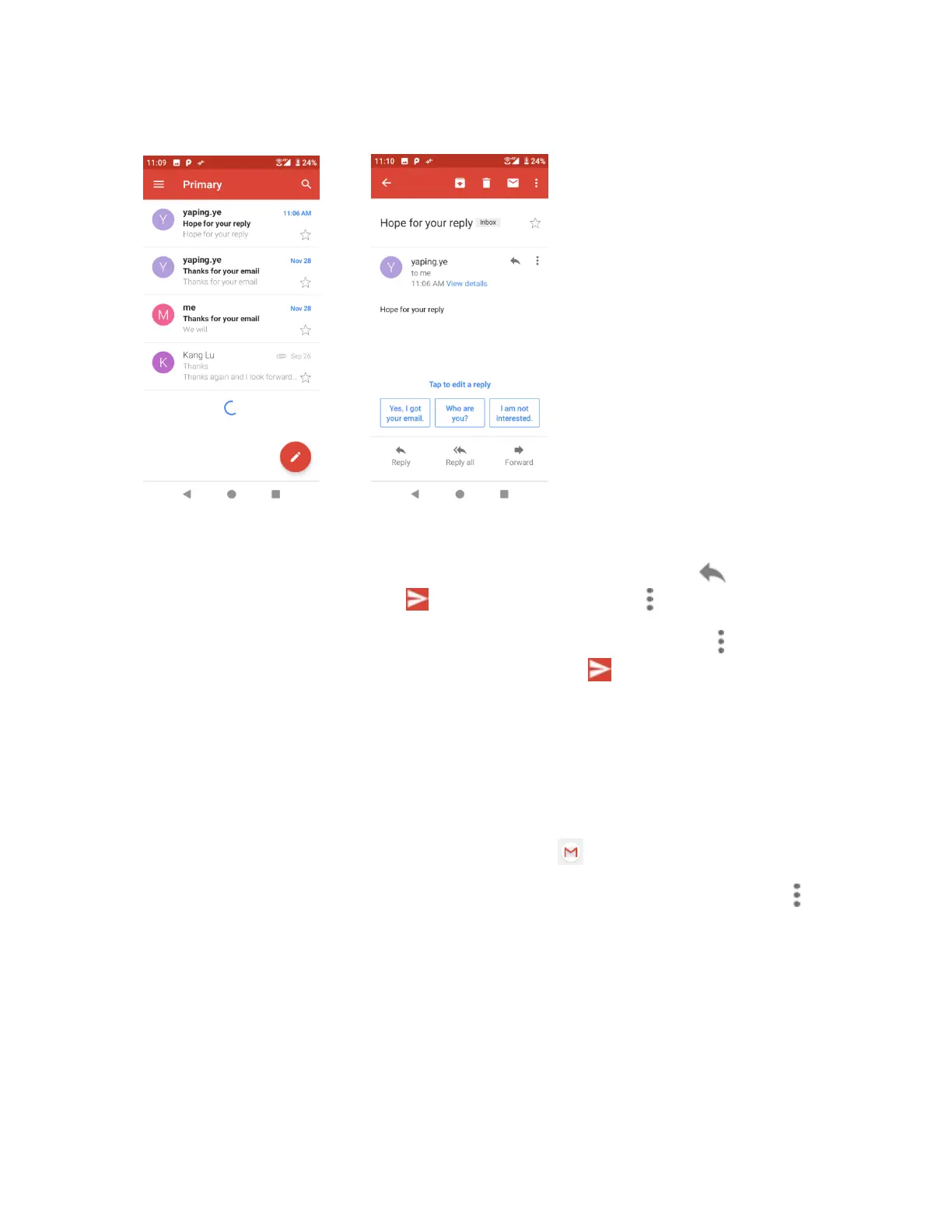
2. Tap the message thread you want to view.
Options when reviewing Gmail messages
• Replying to Gmail messages: With the Gmail message open, tap Reply , compose
your reply message, and tap Send . To reply to all, tap Options > Reply all.
• Forwarding Gmail messages: With the Gmail message open, tap Options > Forward,
enter a recipient and an additional message, and tap Send .
Use Gmail labels
Gmail saves all mail in one box, but you can add labels that allow you to sort your Gmail
conversation threads. For example, when a new thread starts with a received mail, the label
"Inbox" is automatically added to the thread. By then adding the label "travel," all threads with
"travel" are shown in a list.
1. From home, swipe up to access Apps, and tap Gmail .
2. Touch and hold a conversation thread to add a checkmark to it, and then tap Options >
Change labels.


 To Next Page