support01@wimius.com support01@wimius.com
EN EN
18 19
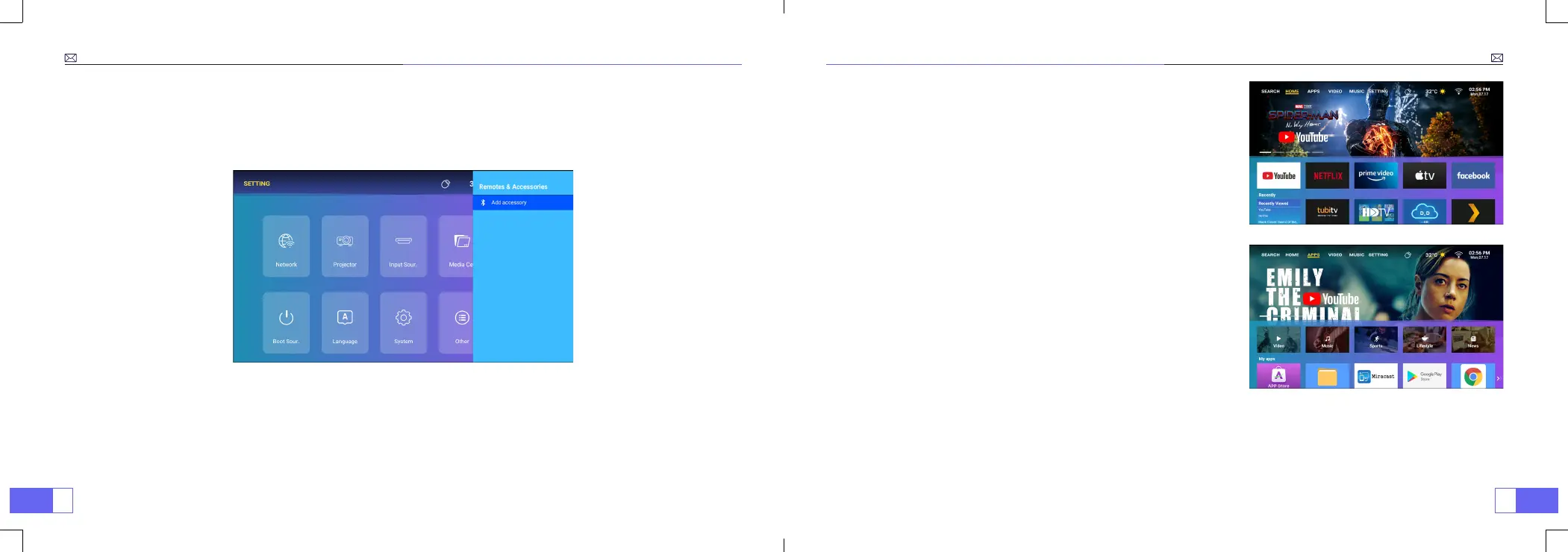
BLUETOOTH SETTING
Go to home page - Select the [
Setting
] menu - Select the [
Bluetooth
] Option - Open the Bluetooth function and
your Bluetooth device - Scan the Bluetooth devices nearby automatically - Choose the Bluetooth device desired - it
will be paired and connected automatically.
Note:
1. The WiMiUS P63 projector is compatible with the Bluetooth headsets, Bluetooth speakers and Air Pods, but not the
Bluetooth keyboards or Bluetooth phones.
2. If you have any question, please feel free to contact us via
support01@wimius.com
HOME PAGE
The P63 projector has a built-in Android system, you can choose
your favorite APP and video at will, and you can enjoy a large number
of wonderful lm and television works without using an additional TV
stick.
APPS
The P63 projector has a large number of built-in apps, and you can
also search and download the apps you need in the App Store as
needed.



 To Next Page